Product study · 2026
Wherecam
How we built a GPS map camera for Android and iOS that stamps photos and videos on the phone, keeps working without signal and never alters the camera’s original.
- Product design
- iOS and Android engineering
- Native video processing
- Localisation
Evidence that holds up in the field.
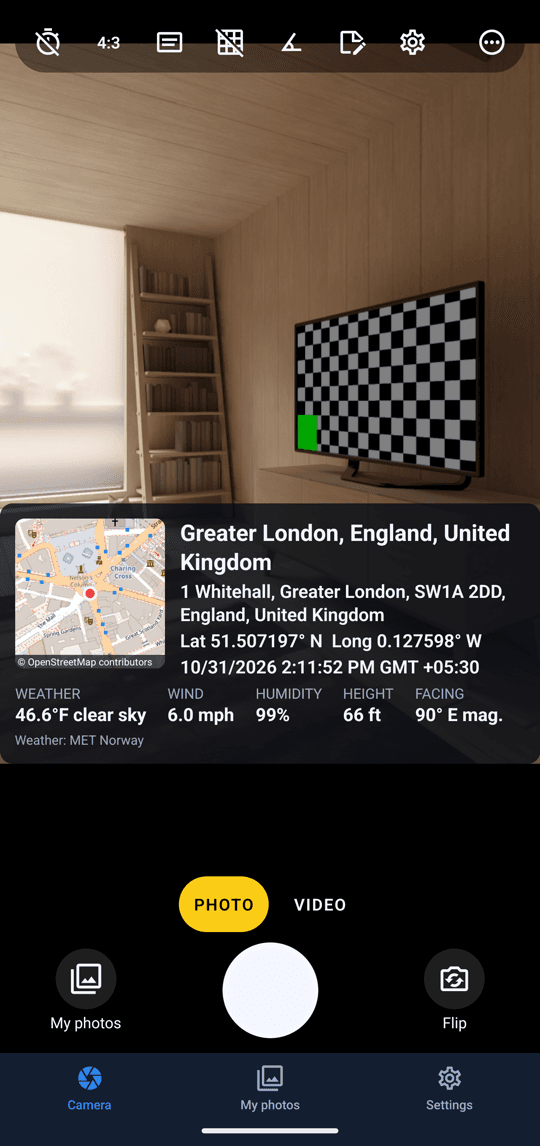
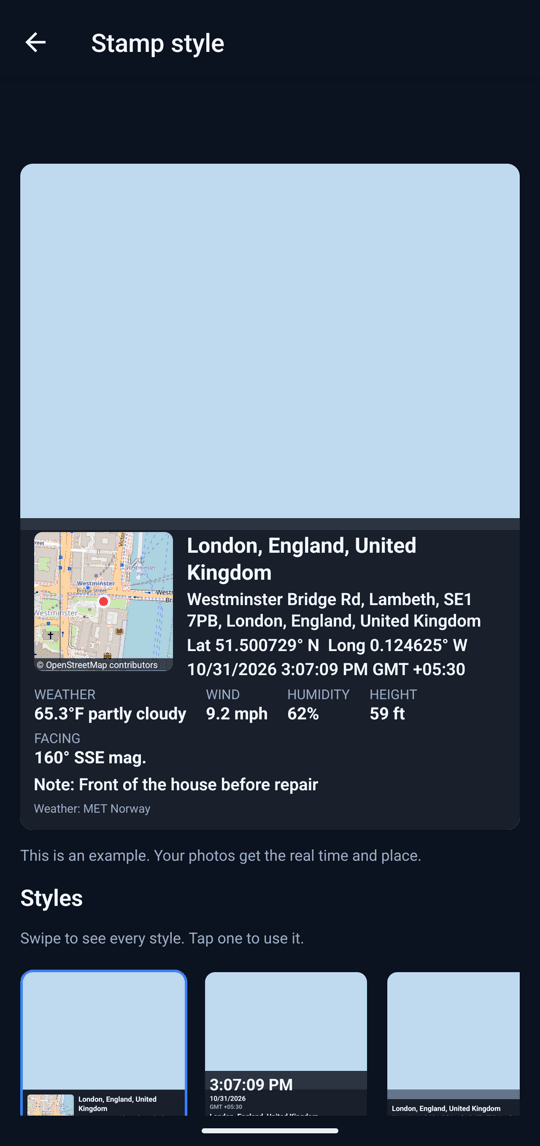
A photo with the place and time printed on it is ordinary working evidence: site progress, deliveries, property visits, inspections, field surveys. The people taking those photos are often somewhere with a weak signal, on a mid-range phone, in a hurry. Wherecam is our GPS map camera for them. It stamps every photo and video with the map, address, coordinates, date, time and weather at the moment of capture, in one of 12 stamp styles and 32 languages, with no account, no ads and no server of our own.
Put an accurate place and time on every photo and video the moment it is taken, keep working with no signal, and never lose or rewrite the camera’s original file.
How we approached it.
- 01
What you see is what is saved
The live preview on the camera and the stamp burned into the saved copy are the same React Native component. All 12 templates render the same content and only rearrange it, so position, size, background and accent colour can change without the saved photo ever drifting from what the person saw.
- 02
Offline first, and honest about it
GPS, time and the photo itself need no network. A fix under 30 seconds old counts as current; indoors, the last fix from outside is used for up to five minutes, and after that the stamp says there is no location rather than print stale coordinates. Weather is printed only if it is recent and was fetched for roughly the same place.
- 03
The original is never touched
Every stamped photo and video is a separate copy. Files are moved out of the operating system’s cache into the app’s own storage before they enter the library, and at startup any file without a library entry is adopted back in, so a crash can cost the stamp details but never the photo.
- 04
No account and no server
There is nothing to sign in to and nothing uploaded. Weather requests send a position rounded to about a kilometre, photos and settings are kept out of Android cloud backups, and the GPS tags written into a file come only from a position the phone actually measured, never from a place the user picked or a mock location provider.
The operating areas brought together.
- A real camera
- Photo and video on Vision Camera, with aspect ratio, self-timer, flash, zoom, grid, level, tap to focus and exposure. The volume buttons work as a shutter through a small native module we wrote in Kotlin and Swift.
- Twelve stamp templates
- From a one-line strip and a big time card to a wide map and a site report, built from 22 fields: address, coordinates or Plus Code, time zone, weather, altitude, accuracy, compass heading, a note, a name, a logo, up to three custom lines and an optional map QR code.
- Stamped video
- Videos are stamped in the background after recording. The stamp is drawn once as a transparent image and composited onto every frame natively, with Media3 Transformer on Android and AVFoundation on iOS.
- Phones, tablets and foldables
- The camera layout is a pure function of the screen’s measured size: controls under the preview on a phone in portrait, a side rail in landscape and on tablets, a reduced set on a flip phone’s cover screen, and the shutter moved off the centre line on near-square unfolded foldables, where the hinge runs.
- Library, reports and older photos
- An on-device SQLite library grouped by day, with search by place or note. Selected photos become a PDF report, existing photos can be stamped in batches using their own time and place, and a small EXIF writer of our own puts the position and time back into the stamped file.
- Thirty-two languages
- Including Hindi, Bengali, Marathi, Tamil, Telugu, Gujarati, Kannada and Malayalam, with right-to-left layout for Arabic, Persian and Urdu, locale-aware capitalisation on the stamp and spoken notes through the phone’s own speech recognition.
How the product holds together.
The hardest part was video. A recording can be the only copy of something that happened, and the stamped version has to be re-encoded on the phone, which can run out of storage, be sent to the background or be killed half-way. So we made the two jobs independent. The recording is folded into durable storage while the camera is still rolling and enters the library first; stamping is a separate job that runs afterwards. That job cuts the recording back into its camera files by walking the MP4 box headers, draws the stamp with the same component the photos use, and hands it to native code to composite. Each attempt is counted before it starts, so an export that crashes the app cannot crash it on every launch, and if stamping gives up the gallery receives the untouched original instead.
Read the engineering write-up: Stamping video on the phone without putting the recording at risk

Let’s build yours next.
Wherecam is published by QuantumPlug on Google Play. It is our own product from definition to release: interface design, native camera and video work, privacy design, store listings and ongoing updates.