GPS camera · Free, no account
Wherecam: where and when, stamped on every photo.
Take a photo and Wherecam adds the map, address, date, time and weather to it. For site visits, deliveries, inspections, rentals, travel, or simply remembering where a photo was taken.
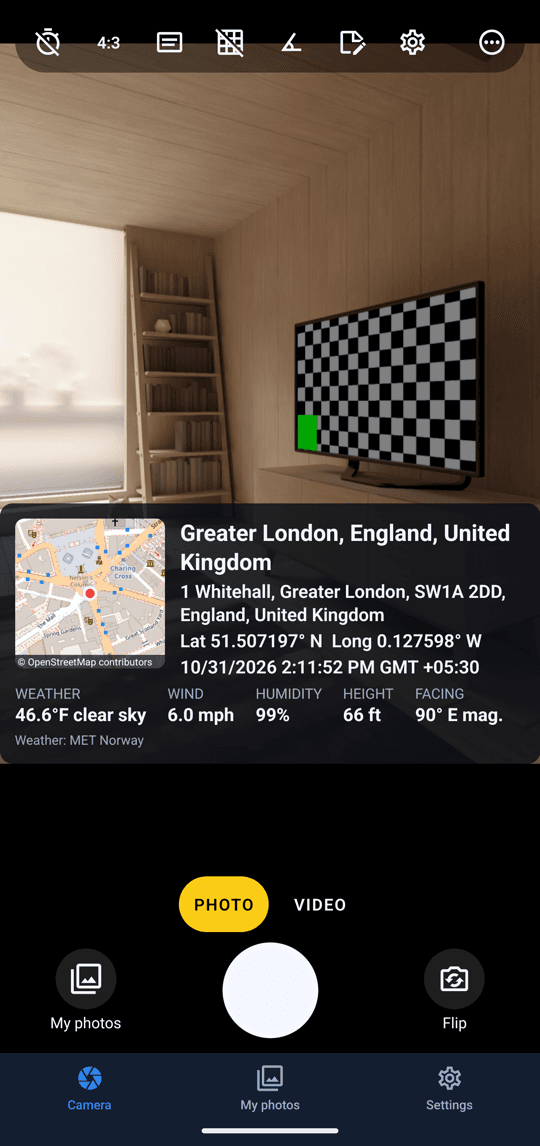
 Map, time and place. On the photo.
Shoot, stamp, share.
Wherecam is a free app made by QuantumPlug, coming soon to Google Play and the App Store. Point, shoot and the stamp is already on the photo, ready to send.
Stamp as you shoot 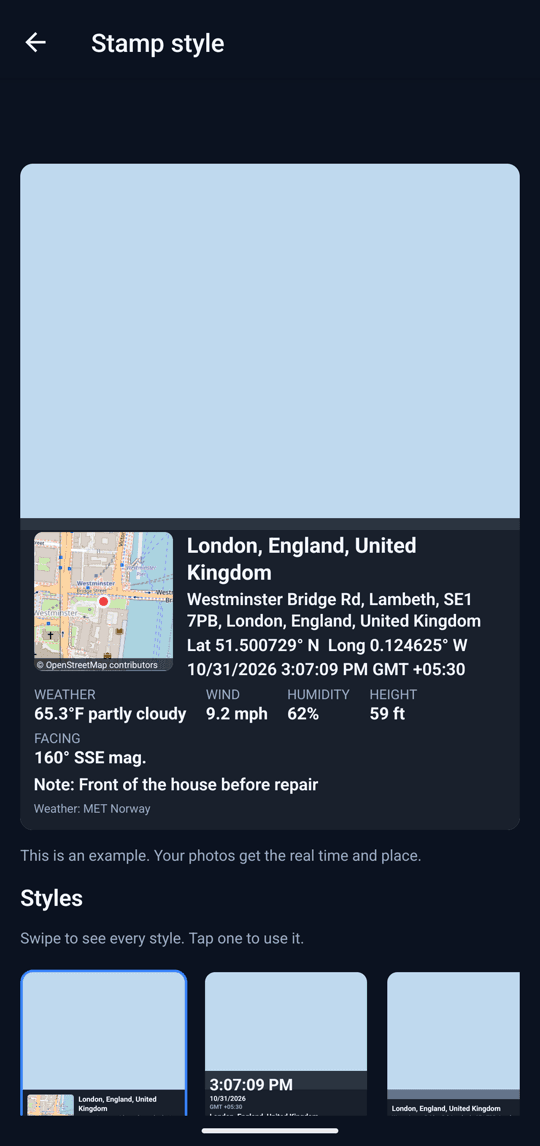
Pick a style 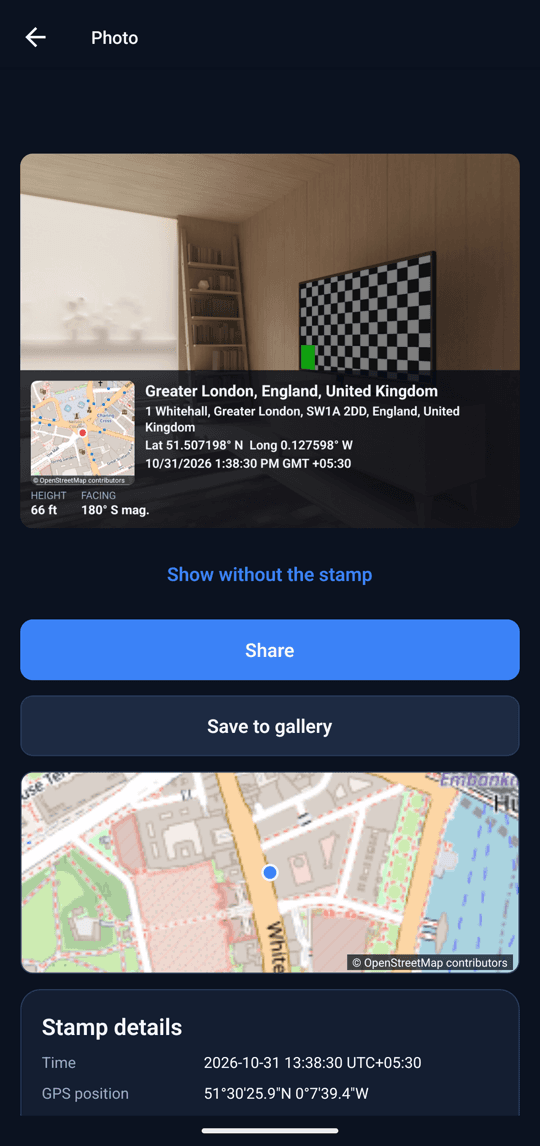
Share or save
Everything a photo needs to say where and when.
On the stamp
- Where
- A live map (standard, satellite, hybrid or terrain), the full street address and a short place name, GPS coordinates in decimal or degrees/minutes/seconds, and a Plus Code.
- When
- Date, time and time zone in the format you choose: written out, day-first, month-first or year-first, with a 12- or 24-hour clock.
- Conditions
- Weather, temperature, wind, humidity and air pressure, plus height above sea level, GPS accuracy and the compass direction you were facing.
- Yours
- A photo number, a note (typed or spoken), your name, your company, your logo and up to three custom lines.
Make it yours
- 12 stamp styles
- From a one-line strip and a big time card to a wide map and a full site report, each previewed live before you choose it.
- Placement and colour
- Put the stamp at the top, bottom or a corner, in three sizes, with an accent colour and a solid, glass or clear background. Text stays readable on any photo.
- Custom location
- Search an address or move the map to the right spot, and edit the address text. A badge on the camera shows when it is on.
- Stamp old photos
- Pick a photo you already took and add the stamp, using the time and place it was taken where the photo has them.
A proper camera
- Photo and video
- The stamp goes on both. Videos are stamped in the background after recording, and the original is always kept.
- Camera controls
- Aspect ratio, self-timer, flash, zoom, grid, a level, tap to focus, brightness, and the front or back camera.
- Every screen
- Phones, tablets and foldables, in portrait or landscape. Fold, unfold or rotate with the camera open.
- Works offline
- Photos, videos and GPS work with no signal, and nothing is lost when the internet drops. Weather, the map picture and the address are added when you're online.
Free, private and simple.
Weather data from MET Norway (CC BY 4.0). Maps © OpenStreetMap contributors, Esri and OpenTopoMap.
Free, no account
Every feature is free. There is no sign-in, no ads and no analytics.
Your photos stay yours
Photos, videos and notes stay on your phone until you share or save them. We never receive them; we don't even run a server for the app.
In your language
32 languages, including Arabic, Persian and Urdu with right-to-left layout and eight Indian languages, following your phone's language.
Questions about Wherecam? Email apps@quantumplugtech.com — we reply within one business day.

Wherecam was designed and built at QuantumPlug.
We build apps and software for clients too. Tell us what you want to make.