
File recovery for Mac · Read-only, private
Revive: get back the photos and files you thought were gone.
Revive finds deleted and lost photos, videos, music and documents on drives, SD cards and disk images. It rebuilds each file from its own structure, shows you a preview, and copies it to safety without ever writing to the source.
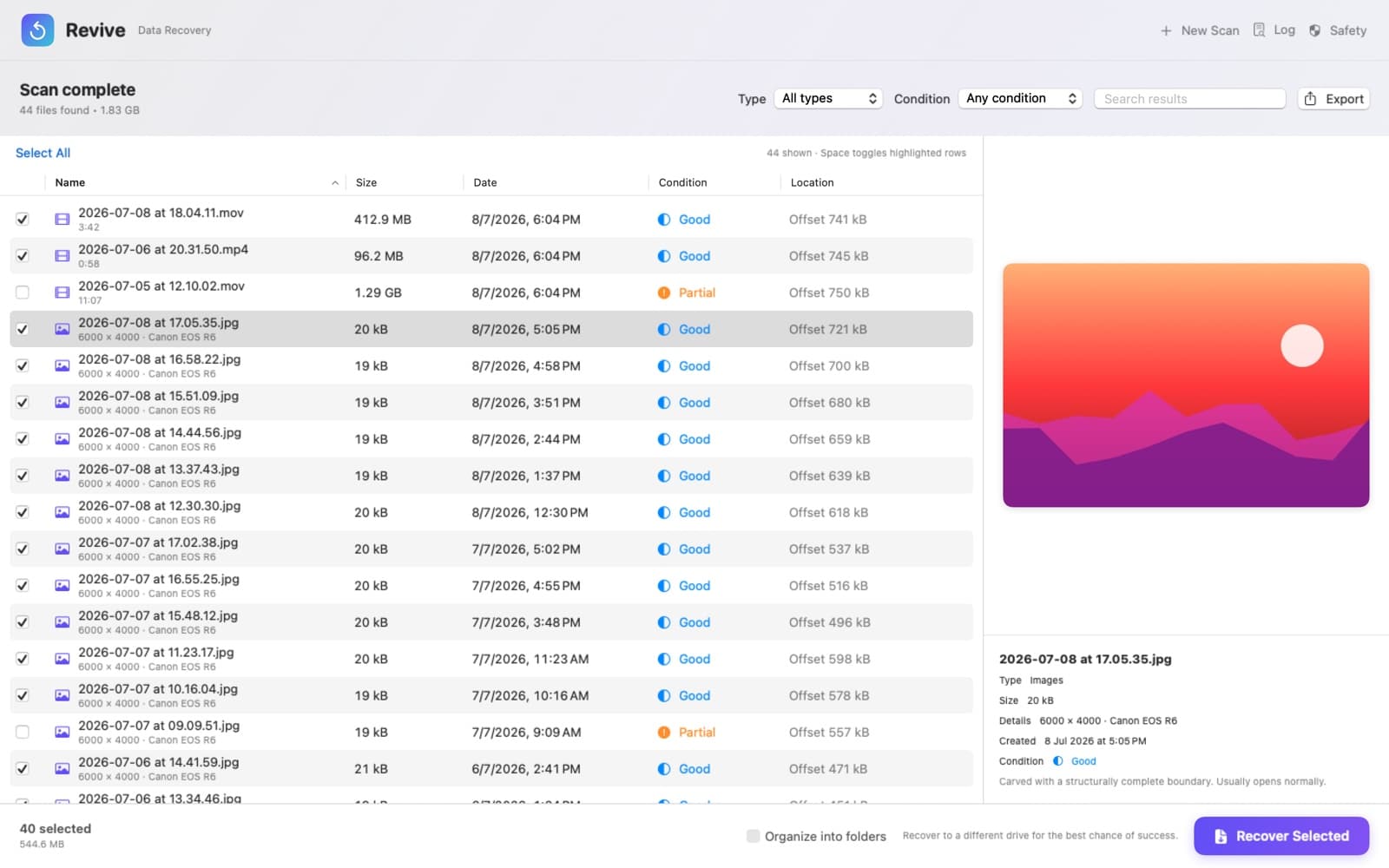
Choose, scan, recover.
Revive is a Mac app made by QuantumPlug, coming soon to the Mac App Store. Pick a source, let it scan, tick what you want back.
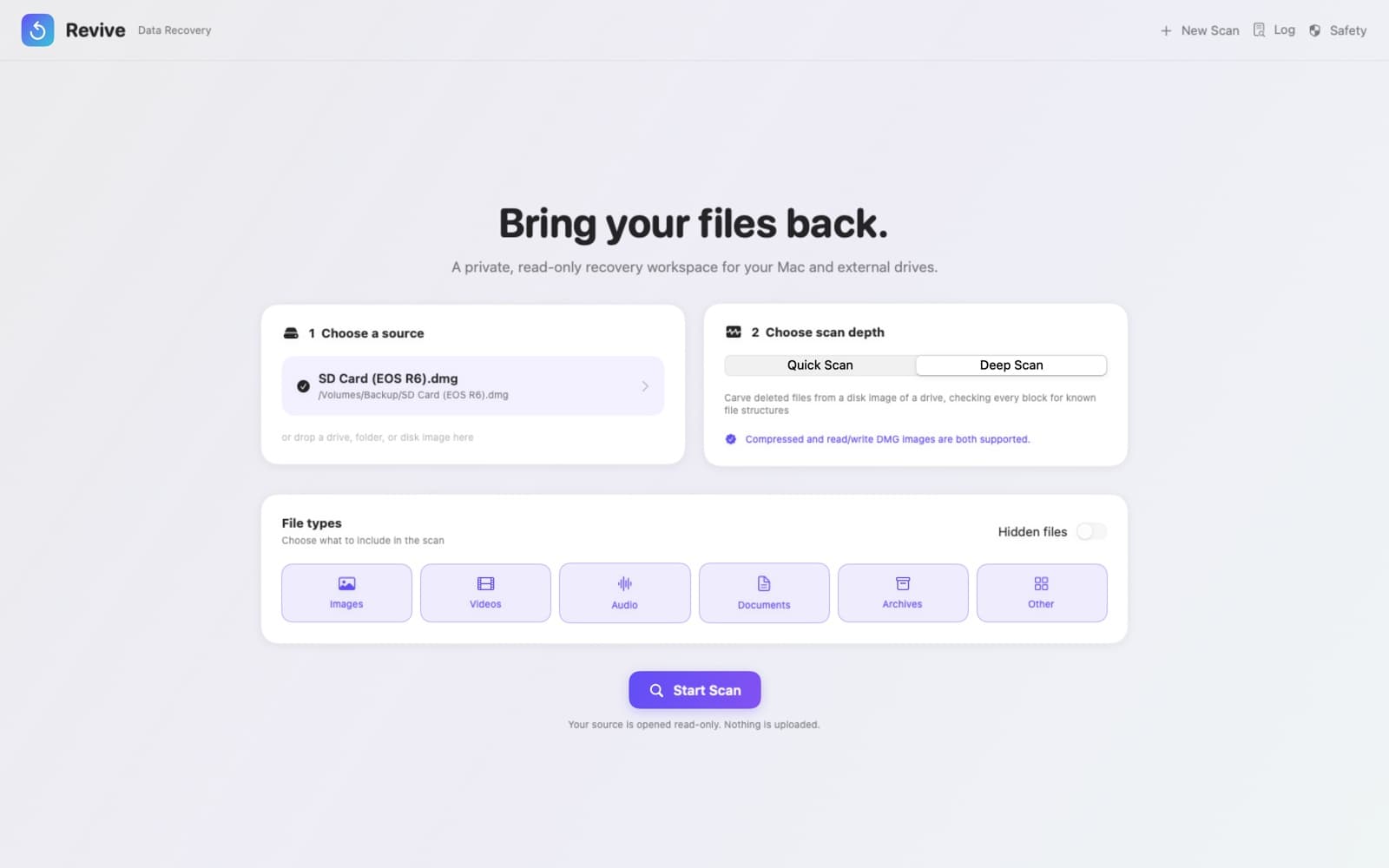
Choose a source 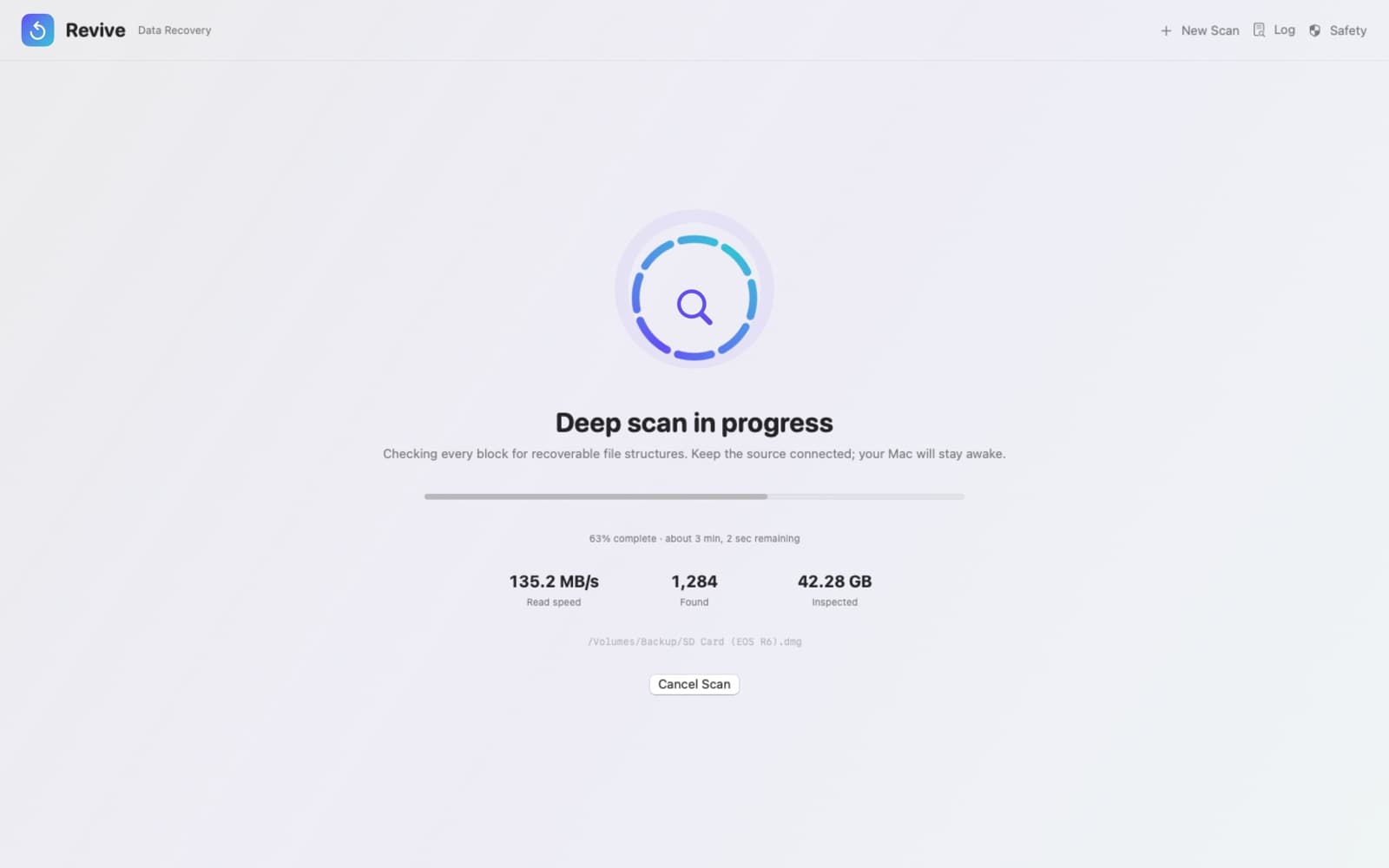
Scan every block 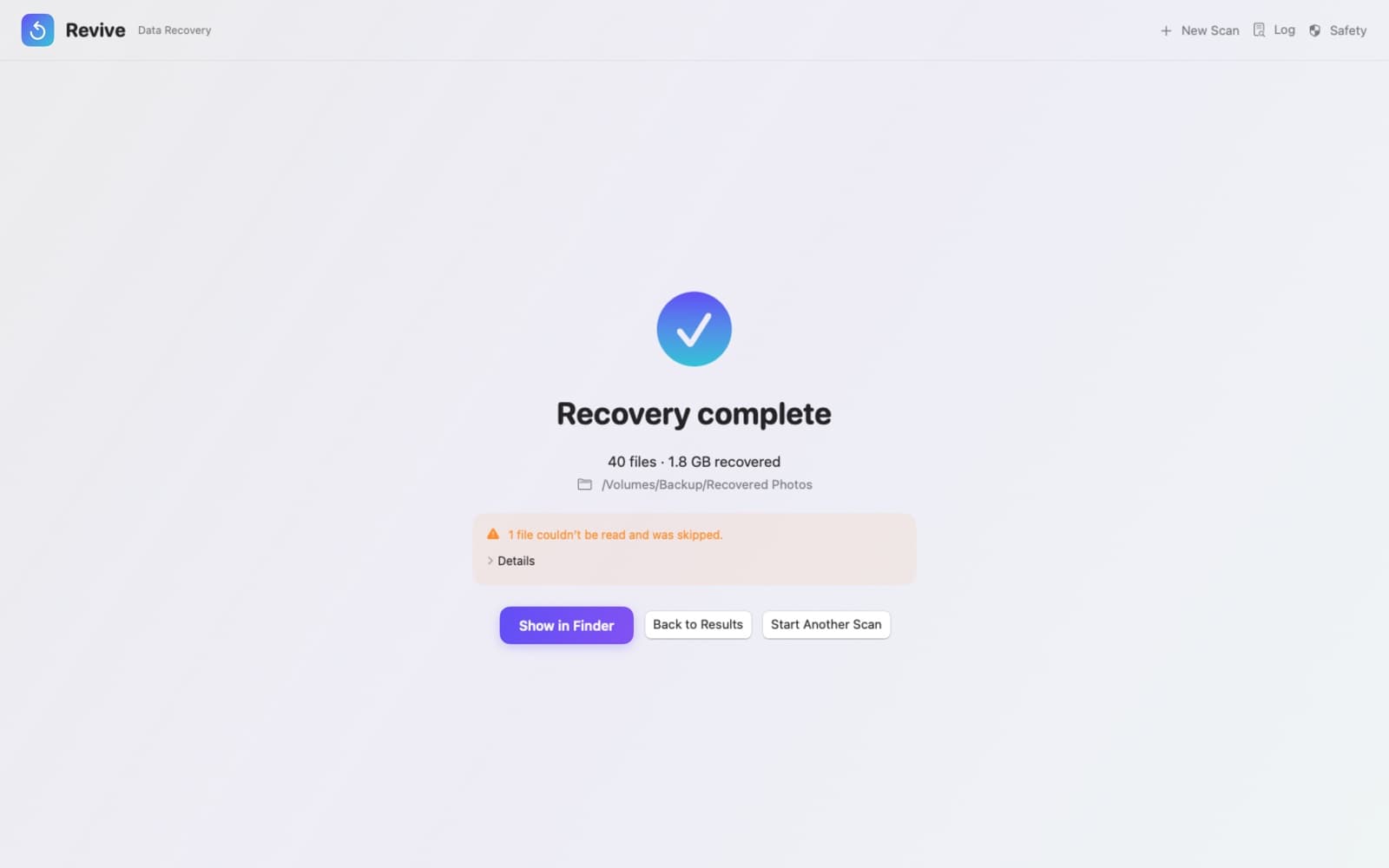
Recover safely
Built to bring files back whole.
Two ways to scan
- Quick Scan
- Search a folder, external drive, SD card or Photos library and copy files to safety. Revive recognises files by what is inside them, so files with a missing name or extension are found too.
- Deep Scan
- Find deleted and lost files in a disk image of a drive or card. Revive checks every block for more than 30 file types and rebuilds each file from its internal structure, so it comes back complete instead of cut off at a guess.
- Disk images, compressed or not
- Reads the images Disk Utility makes, compressed or read/write, plus ISO, IMG, CDR and raw images. Revive shows you how to make one when you choose Deep Scan.
Results you can trust
- Dates and details
- Photos come back with the date and time they were taken and the camera model; videos with their length. Dated files are named by when they were taken instead of a number.
- Preview first
- Look at any file, including deleted ones, before you recover it.
- An honest condition
- Every file is rated Excellent, Good or Partial, so you know which ones are complete. Partial files start unticked.
- Sort, filter, export
- Sort by name, size, date or condition, filter by type, search, and export the list as a spreadsheet (CSV).
Safe by design
- Read-only
- Revive never writes to the drive, card or image you scan.
- Nothing overwritten
- Recovered files never replace files already in the destination, and Revive warns you if you pick a folder on the drive you are scanning.
- Keeps going
- If a file can't be read, Revive skips it, recovers the rest and tells you which ones it skipped.
- Organised for you
- Keep the original folder layout, or sort recovered files into folders by type.
What Deep Scan finds
- Photos
- JPEG, PNG, GIF, BMP, HEIC, AVIF, WebP, Canon CR3
- Video
- MP4, MOV, M4V, 3GP, AVI, MKV, WebM, Ogg
- Audio
- MP3, AAC, M4A, WAV, AIFF, Ogg Vorbis, Opus
- Documents
- PDF, Word, Excel, PowerPoint, EPUB, OpenDocument
- Archives and more
- ZIP, 7-Zip, SQLite databases
Quick Scan finds files of any type.
Private, careful and clear.
Lost something important? Stop using the drive it was on, then make a disk image of it with Disk Utility and scan the image. The support page shows how.
Private by design
No account, no ads, no analytics and no network connections. Your files never leave your Mac.
Made for the Mac
A native app for Apple silicon and Intel Macs on macOS Sonoma or later, with keyboard shortcuts, Quick Look and Dark Mode.
Honest about recovery
No app can bring back data that has been overwritten. Revive tells you what it found, how complete each file is, and how to protect what is left.
Questions about Revive? Email apps@quantumplugtech.com — we reply within one business day.

Revive was designed and built at QuantumPlug.
We build apps and software for clients too. Tell us what you want to make.