Product study · 2026
Revive
How we designed and engineered a read-only Mac file-recovery app that rebuilds deleted files from their own internal structure, and says plainly when a file is only partly there.
- Product design
- macOS development
- Systems engineering
Getting files back without making things worse.
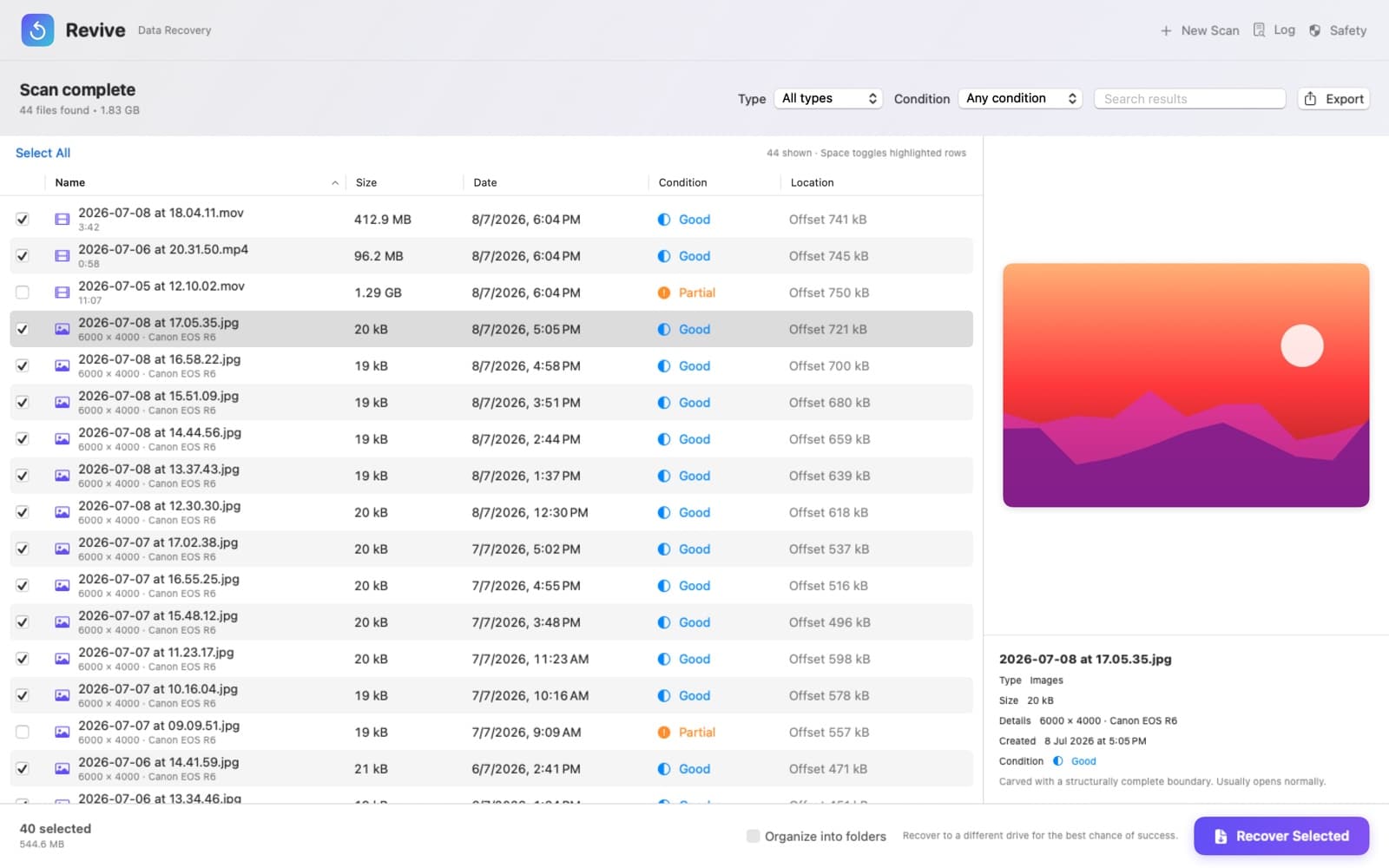
When a file is deleted from a Mac, a drive or a memory card, the file system forgets where it was, but the bytes usually stay on the disk until something overwrites them. Tools that carve raw data often cut a file at the first end marker they find, which turns a photo into its thumbnail and an edited PDF into its first draft. Revive is our own macOS recovery app. It scans folders, volumes and disk images read-only, rebuilds deleted files from their internal structure, previews them with Quick Look and copies them to a safe destination. It is sold through the Mac App Store, so all of this also had to work inside the App Sandbox.
Bring deleted files back whole where the data allows it, say clearly when it doesn’t, and never put the source at risk.
How we approached it.
- 01
Read-only by construction
Every scan source goes through one read interface that has no write operation, and files are opened for reading only. Recovered files go only to a folder the user chooses. Revive refuses a destination inside the scanned folder, or on the same volume when a whole volume is the source. Each file is written to a temporary file, synced to disk and then moved into place, and an existing file is never overwritten.
- 02
Let each format say where it ends
We don’t trust end markers on their own. Seventeen parsers walk the internal structure of each format family: JPEG segments, PNG chunks, MP4 boxes, ZIP directories, PDF cross-reference tables and more. Each one returns the file’s exact length, or nothing at all if the structure doesn’t hold.
- 03
Rate every file honestly
A carved file is rated Good only when its structure checks out from start to end. Truncated or spliced files are rated Partial, start unticked in the results, and claim only the bytes that were verified, so a file hiding in their unverified tail is still found.
- 04
Design for the App Sandbox
Both editions are built from one codebase. The Mac App Store build is compiled with a flag that removes privileged raw-drive access, which App Review Guideline 2.4.5 doesn’t allow. Deep Scan in that edition works on disk images, and the app explains how to make one in Disk Utility. There is no networking code, and the one-time upgrade uses StoreKit 2.
The operating areas brought together.
- Quick Scan
- Lists the readable files in a file, folder, package (including Photos libraries) or mounted volume. It stays on the selected volume, counts hard links once, recognises files without extensions by their content, and always includes Trash folders, restoring the original names of files in a Windows Recycle Bin.
- A single-pass Deep Scan
- Reads the source once in 1 MiB blocks, with the next blocks read ahead in the background. It checks every 512-byte sector, or every byte with Thorough search, against two-byte lookup tables before any parser runs. A stopped scan keeps what it found and can resume where it left off.
- Format parsers
- Covers JPEG, PNG, GIF, BMP, TIFF and camera RAW, PDF, ZIP-based Office, EPUB and OpenDocument files, legacy Office documents, 7-Zip, SQLite, MP4, MOV, HEIC, AVIF and CR3, WAV, AVI, WebP, AIFF, Ogg, Matroska and WebM, MP3 and AAC.
- Disk images
- Raw, ISO, IMG and CDR images are read directly. Apple’s DMG images are decoded through their block table, with zlib and LZFSE chunks decompressed on demand. Encrypted images and unsupported compression get step-by-step conversion instructions instead of a generic error.
- Damaged media
- A block that fails to read is re-read in smaller pieces, and what still fails is filled with zeros, counted and reported, so the scan doesn’t stop. After 256 MiB of consecutive unreadable data, the source is treated as disconnected or failing.
- Results and recovery
- Photos come back with their EXIF capture date and camera model, and videos with their length, and dated files are named by when they were taken. Carved files can be previewed from a private temporary copy. Results can be sorted, filtered and exported as CSV. Recovery checks free space first, can keep the original folder layout, and skips and lists any file it can’t read.
How the product holds together.
The hardest problem was deciding where a deleted file ends, and whether the bytes in between really belong to it. A header is easy to find, but end markers mislead: a phone photo’s thumbnail has its own, an edited PDF has several, and on a fragmented disk the stretch between a header and a footer can belong to another file entirely. So each parser checks what its format provides for the purpose: PNG and Ogg checksums, a ZIP central directory that must point back to its own archive, JPEG restart markers that must cycle in order, and SQLite’s page count, trusted only when its validity counter matches. Complete files claim their byte range, so embedded thumbnails and files inside archives aren’t listed twice. Partial files claim only their verified part, so a file in their unverified tail is still recovered. Every length and offset comes from the disk, so all of the arithmetic is bounds-checked. The test suite fuzzes the parsers with seeded random mutations and asserts that every result stays inside the source.
Read the engineering write-up: Where a deleted file ends: format-aware carving in Revive

Let’s build yours next.
Revive is on the Mac App Store as a free download. Scanning and previews are unlimited, and a one-time Revive Unlimited purchase removes the free recovery allowance. It’s a native SwiftUI app for Apple silicon and Intel Macs running macOS 14 or later, with no accounts, analytics or network code, and a direct-download edition is built from the same source. We designed the product, engineered the recovery engine and its test suite, and took it through App Store review. That’s the same end-to-end work we do on client projects.