
Chrome extension · Copy as Markdown
Copy any web page as clean Markdown for AI
One click turns the page you're reading into tidy Markdown: tables stay tables, code keeps its language, and links still work. Paste it into any AI chat, your notes or an issue. It all happens in your browser.
Free and unlimited · No account · Works offline after install
See how it works ↓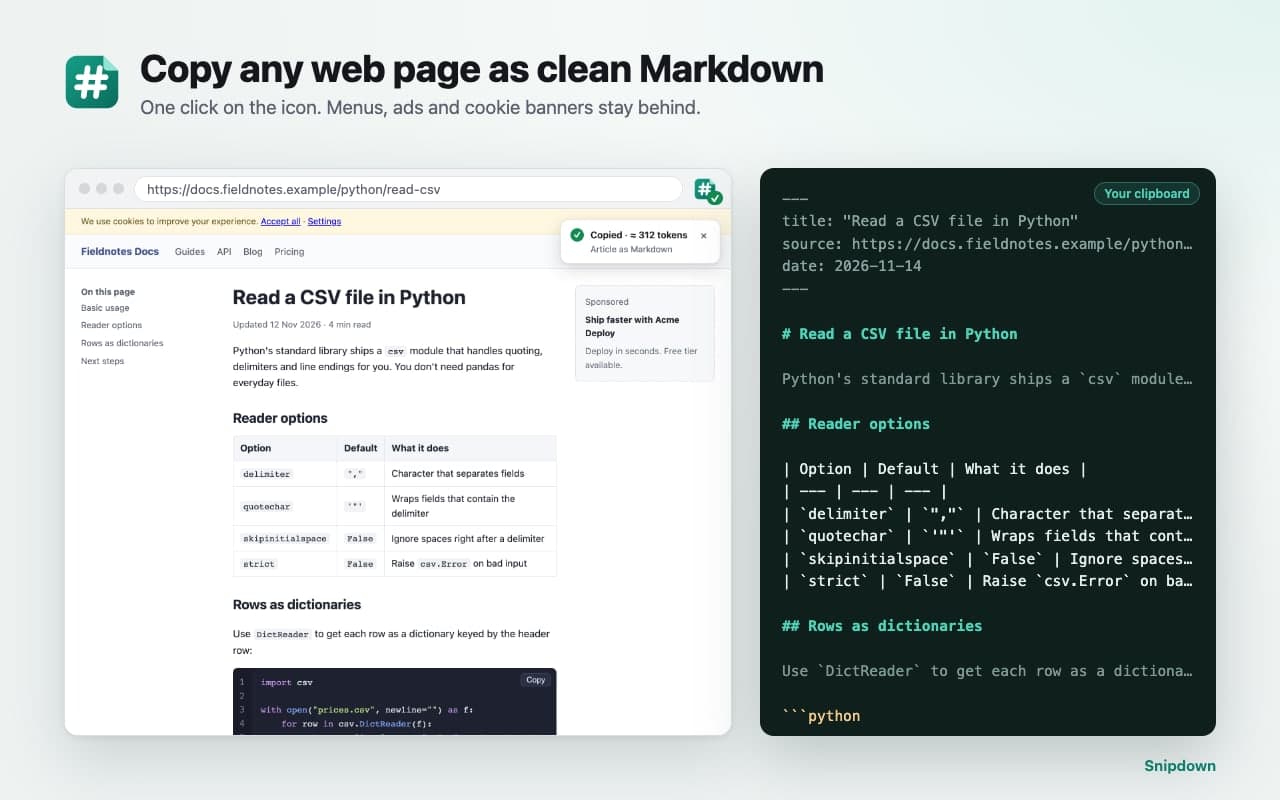
How it works.
Step 1
Add Snipdown to Chrome
Then pin its icon to the toolbar.
Step 2
Open any article, docs page or thread
Click the icon, or press Alt+Shift+M.
Step 3
Paste
Into your AI chat, notes app or editor. Done.
Under the hood: Snipdown takes an inert snapshot of the page (including web-component content), finds the main article, cleans up code blocks, tables and math, and converts the HTML to GitHub-flavored Markdown with full URLs. An optional header adds the title, source URL and date so the AI knows where the text came from.
Paste-ready, every time.
Tables stay real Markdown tables 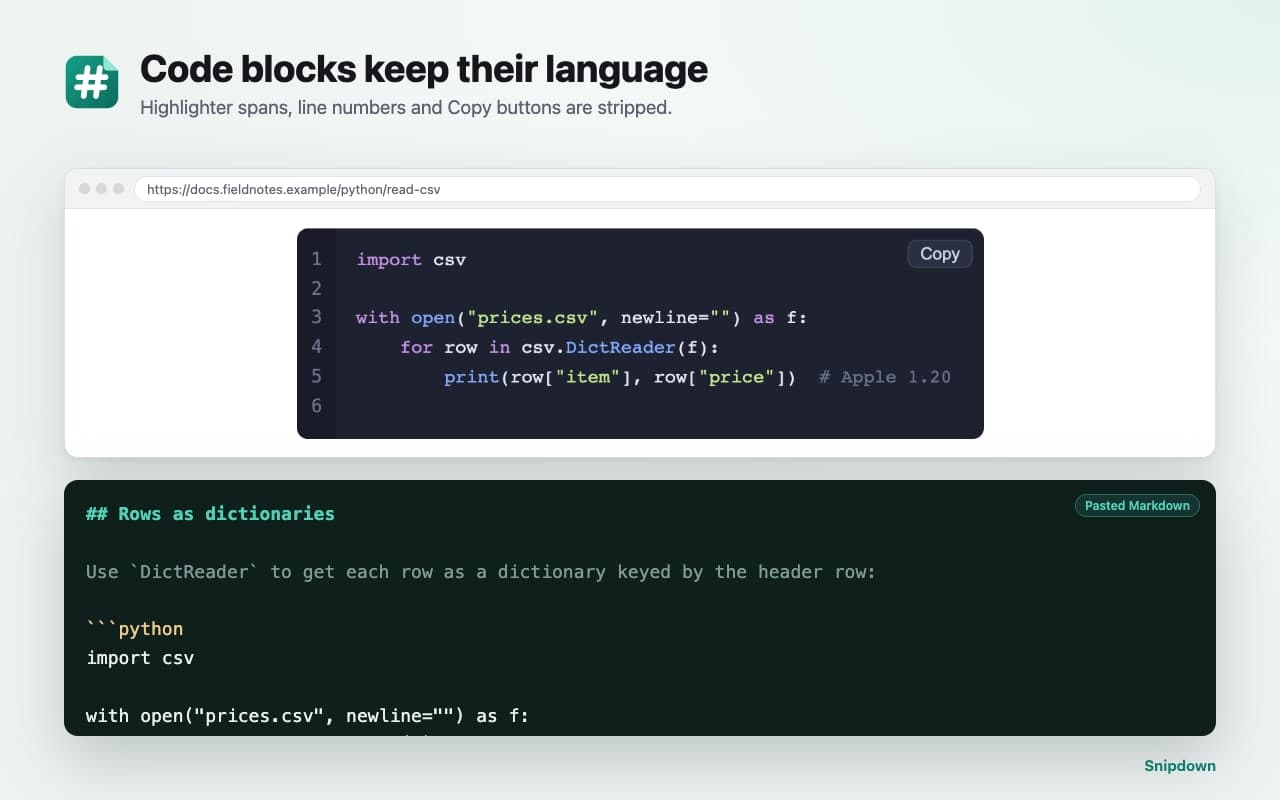
Code blocks keep their language 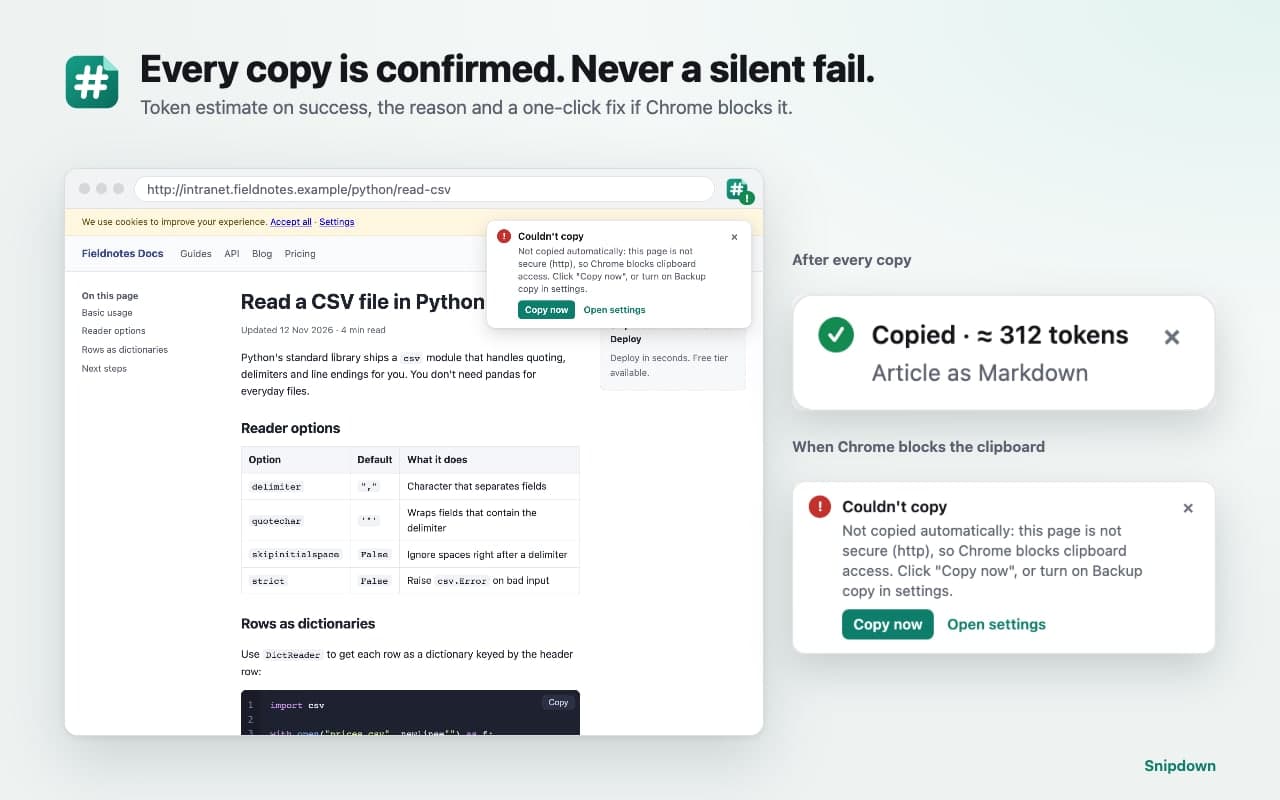
Every copy is confirmed 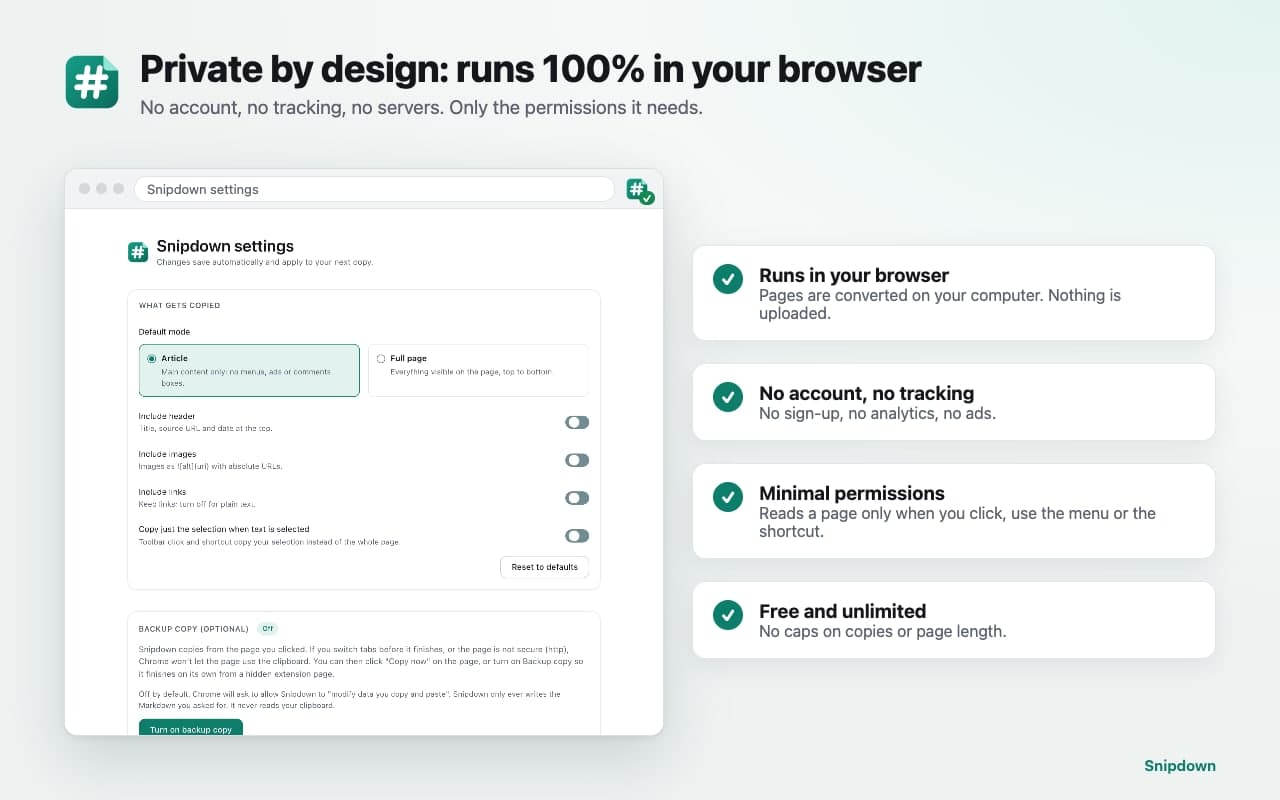
Private by design
Markdown that keeps its shape.
- One click, clean result
- Click the Snipdown icon or press Alt+Shift+M. Article mode keeps the main content and leaves menus, ads, cookie banners and comment boxes behind. Full page mode copies everything visible.
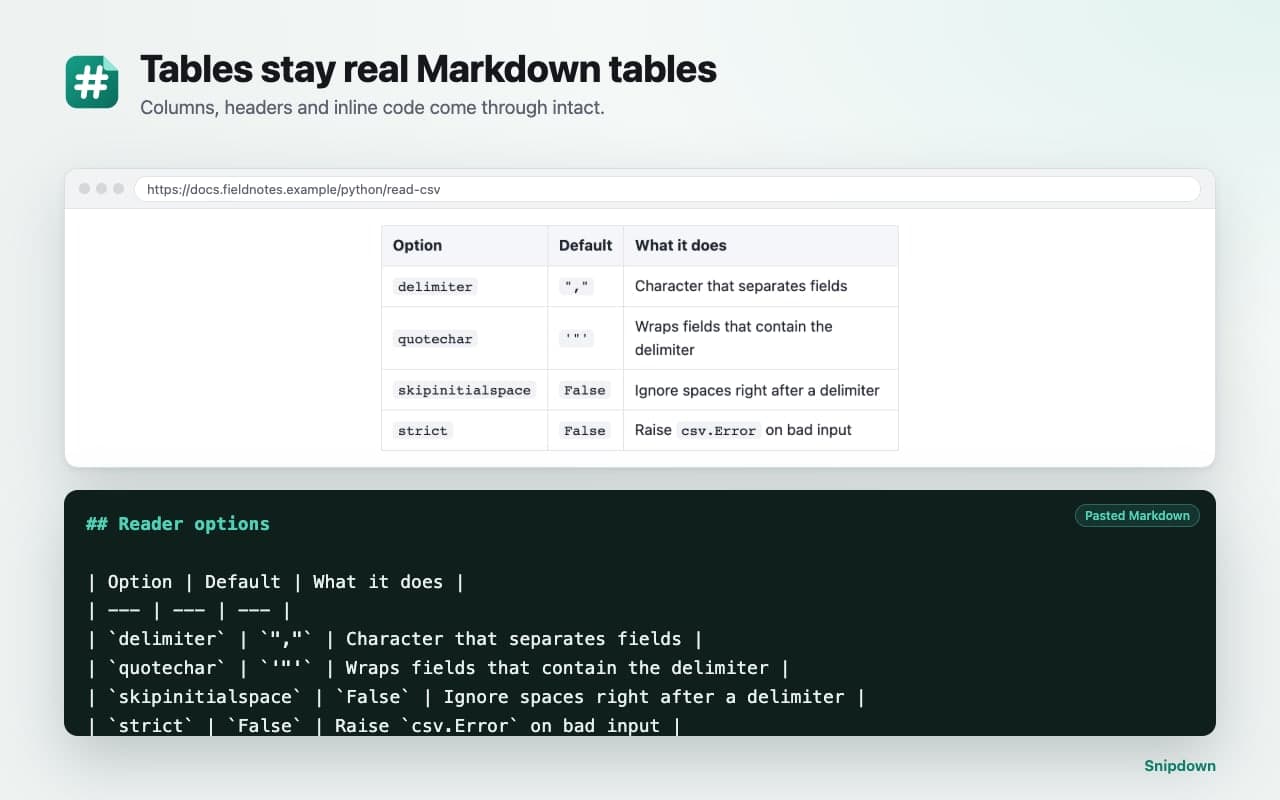
- Tables that stay tables
- Data tables become real Markdown tables with headers, alignment and inline code. Tables with merged cells are kept as a compact HTML table instead of being scrambled.
- Code that keeps its language
- Code blocks come out fenced with their language (```python, ```js). Syntax-highlighting markup, line numbers and "Copy" buttons are removed, so the code is exactly what you'd type.
- You always know it worked
- "Copied · ≈ 2,340 tokens" appears on the page and a ✓ on the icon. If Chrome blocks the clipboard (you switched tabs, or the page is plain http), you see why, with a Copy now button that finishes the job.
- Just the part you need
- Select a paragraph, a table or a code sample and click the icon: only your selection is copied. Right-click a link for [title](url).
- Private by design
- Pages are converted on your computer and go only to your clipboard. No account, no tracking, no servers, and no access to a page until you ask.
Private by design.
Snipdown reads a page only when you click its icon, use its right-click menu or press its shortcut. The privacy policy has the details.
Everything happens inside Chrome
Nothing is uploaded, there's no account, and there's no analytics.
Writes to your clipboard, never reads it
Pages are converted on your computer and go only to your clipboard.
The minimum permissions
Chrome shows no "read and change all your data on all websites" warning when you install it.
Questions people ask.
More answers on the support page.
Is Snipdown free?
Yes, free and unlimited. No sign-up and no caps on the number or size of pages.
Does it work with ChatGPT, Claude and Gemini?
Yes. It produces plain Markdown text, which any AI chat accepts. Snipdown isn't affiliated with OpenAI, Anthropic or Google.
I used a Markdown clipper that was removed from the Chrome Web Store. Is this a replacement?
If you mainly copied pages or selections as Markdown, yes: Snipdown copies to the clipboard with one click, keeps tables and code, and is actively maintained. It doesn't download .md files.
Can I copy just part of a page?
Select it first, then click the icon. Or right-click and choose "Copy selection as Markdown".
What if a copy fails?
Snipdown always tells you why. If you switched tabs too early or the page is plain http, click Copy now on the message, or turn on the optional Backup copy setting.
Which pages can't be copied?
Chrome's own pages, the Chrome Web Store and the built-in PDF viewer, where Chrome blocks all extensions. Local files work after you turn on "Allow access to file URLs" for Snipdown.
Stop cleaning up pasted pages.
Free and unlimited. No account, and it works offline after install.
Questions? Email support@quantumplug.tech.
Snipdown is made by QuantumPlug Technologies. Snipdown is not affiliated with OpenAI, Anthropic or Google. Chrome is a trademark of Google LLC.

Snipdown was designed and built at QuantumPlug.
We build apps and software for clients too. Tell us what you want to make.