Chrome extension · Feed cleaner
A calmer LinkedIn feed. You choose what to hide.
Feedfloss collapses promoted posts, suggested posts, polls, "X liked this" activity and engagement bait into thin bars you can open with one click. Every filter is off until you turn it on, and it all runs inside your browser.
Free · No account · Nothing collected · Not affiliated with LinkedIn
See how it works ↓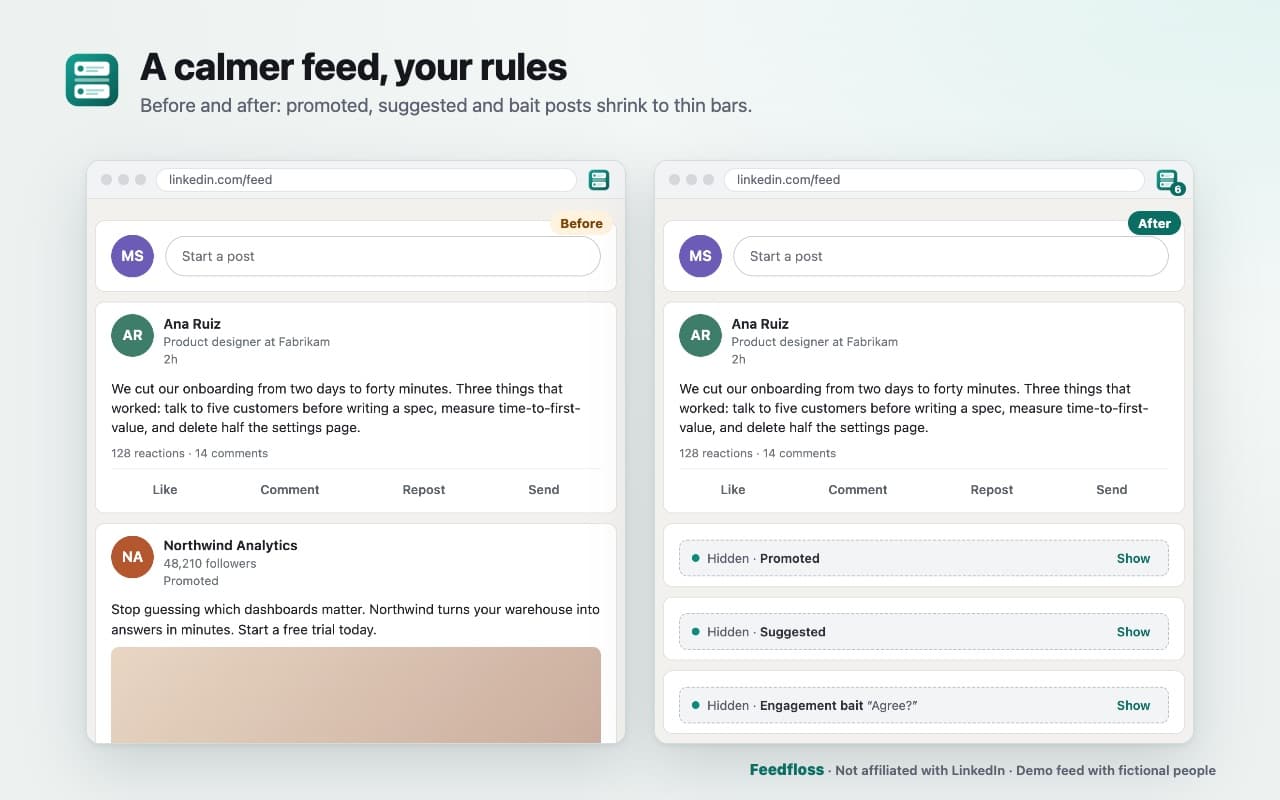
How it works.
Step 1
Add Feedfloss to Chrome
The welcome page explains what it does and what LinkedIn's terms say.
Step 2
Pick your filters
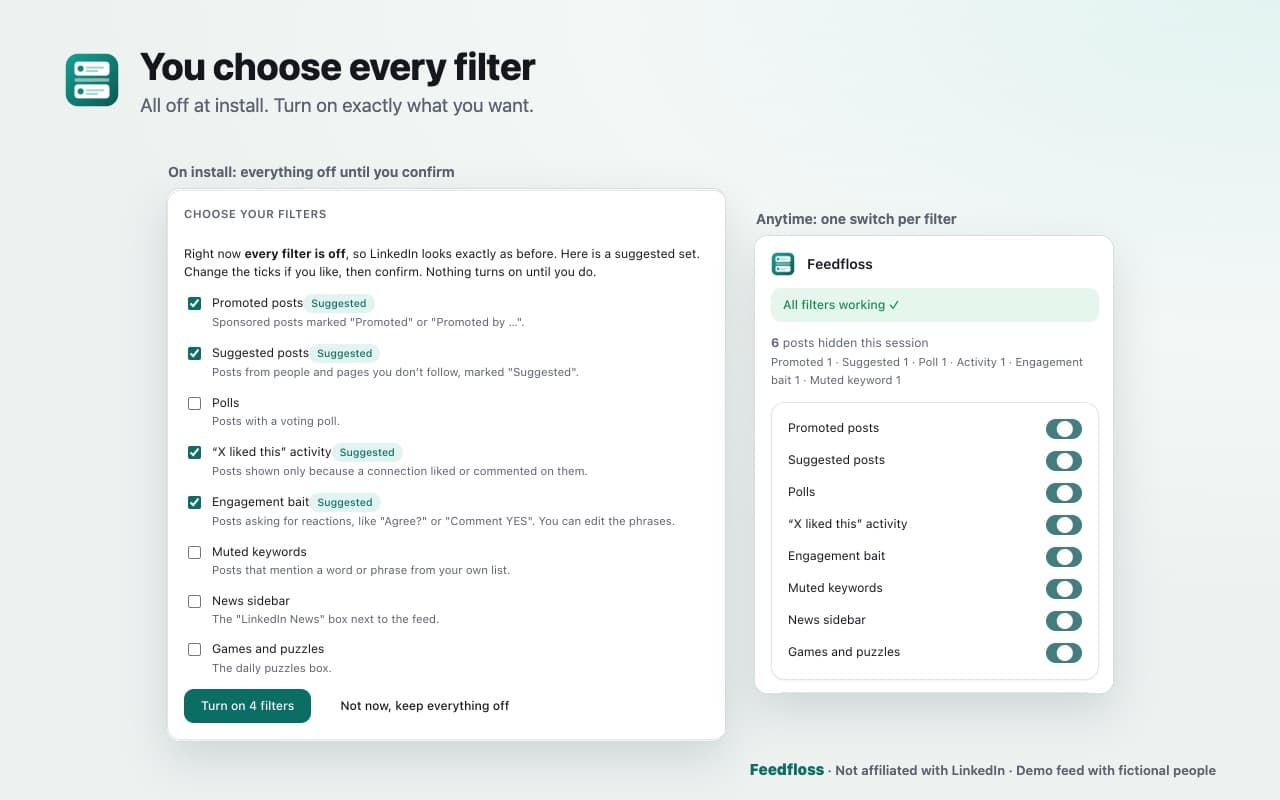
Or start with the suggested four: Promoted, Suggested, Activity, Bait.
Step 3
Open your LinkedIn feed
Filtered posts collapse into bars; the toolbar badge counts them.
Your feed, your rules.
You choose every filter 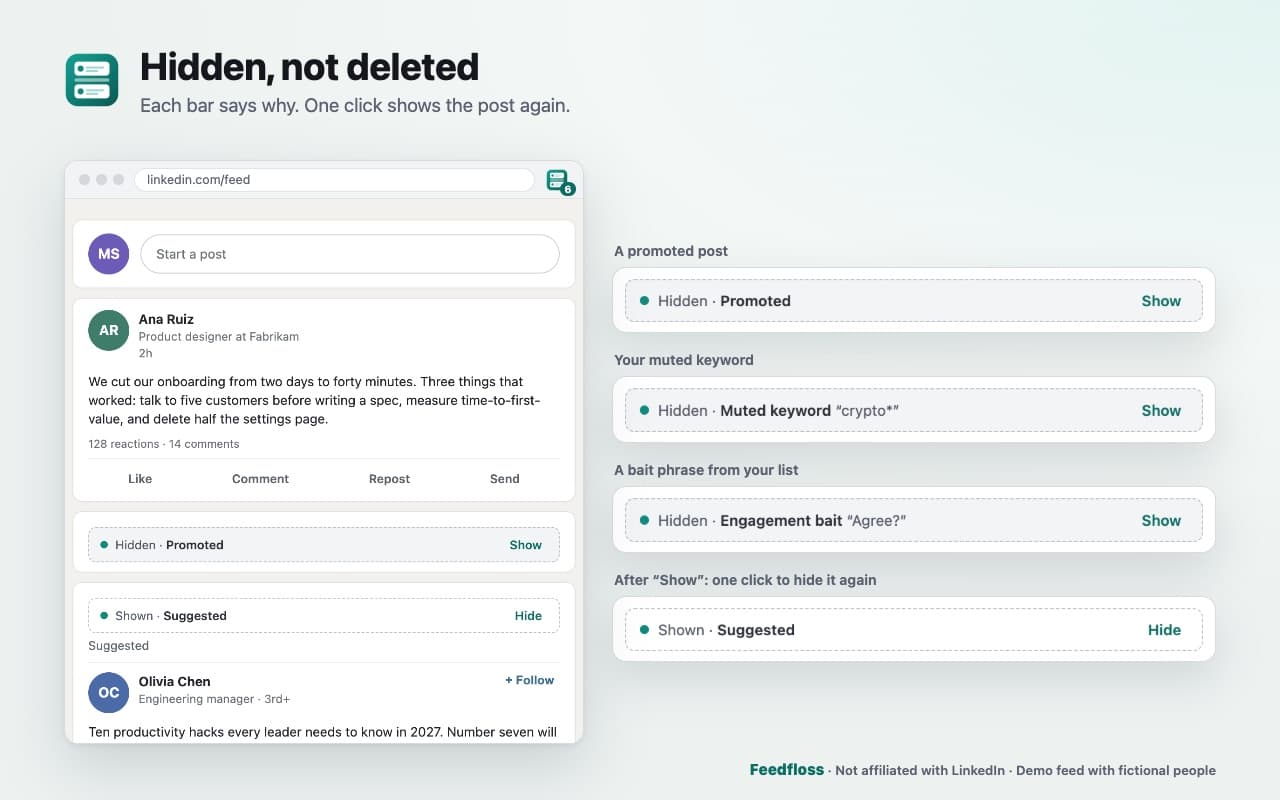
Hidden, not deleted 
It tells you when something breaks 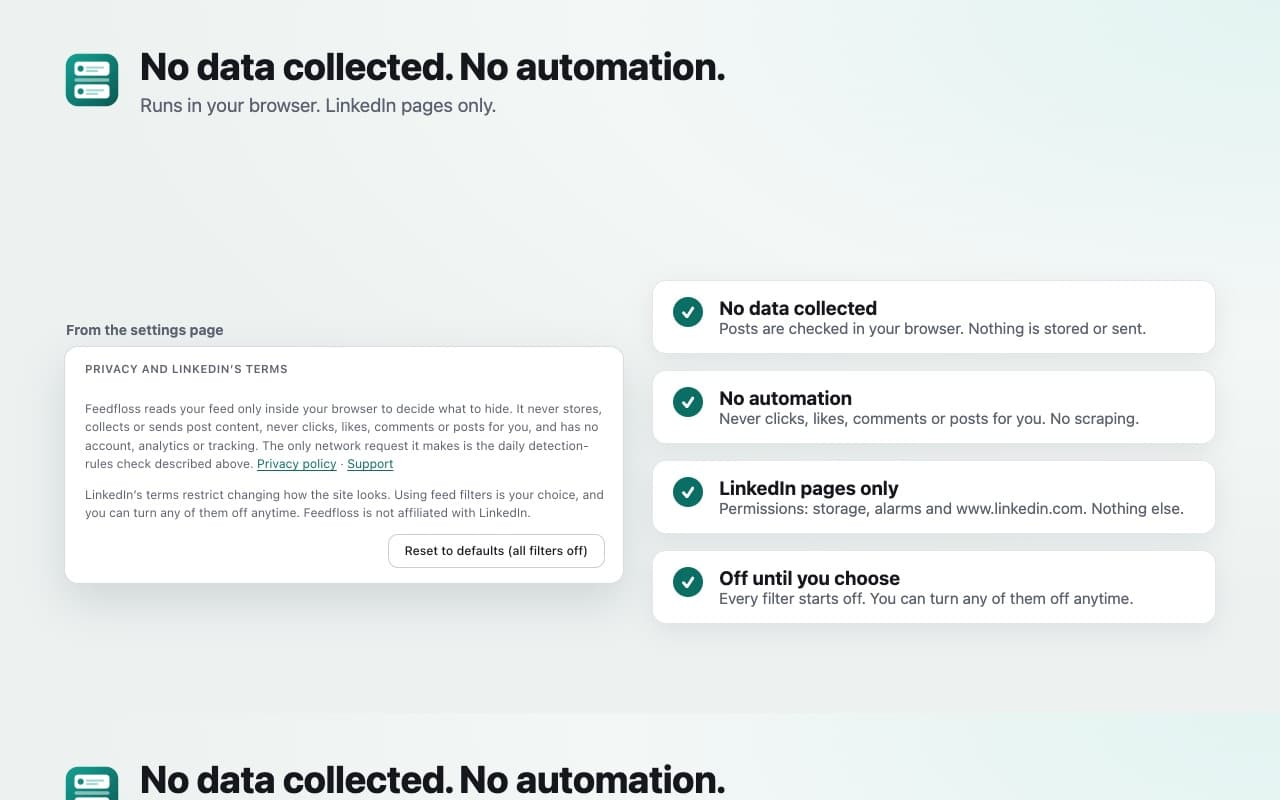
No data collected. No automation.
Built to keep working.
- You choose every filter
- Promoted posts, suggested posts, polls, activity posts, engagement bait ("Agree?", "Comment YES"), your own muted keywords, the news box and the puzzles box. Each one is a separate switch, and all start off.
- Hidden, not deleted
- A hidden post becomes a thin bar that says why: "Hidden · Promoted · Show" or "Hidden · Muted keyword “crypto*”". One click, or Enter on the keyboard, brings it back. Prefer them gone? Switch to "Hide completely".
- Built to keep working
- LinkedIn changes its page often, and that is why most feed tools break. Feedfloss finds posts by their structure and visible labels rather than class names, re-checks posts that load late as you scroll, and gets updated detection rules once a day as a small data file. The popup's health check says "All filters working ✓", tells you when LinkedIn changed something, and even notices when the Promoted filter hasn't recognised a single ad in a while.
- Your language
- Labels are included for LinkedIn in English, Spanish, French, German and Portuguese. Muted keywords work in any language.
- Private by design
- Filtering happens in your browser. Feedfloss never stores or sends post content, has no account, no analytics and no tracking, and never clicks, likes, comments or posts for you. It asks for access to www.linkedin.com only.
Private by design.
Once a day Feedfloss downloads a public rules file, and you can turn that off. The privacy policy has the details.
Filtering happens in your browser
Feedfloss never stores or sends post content, has no account, no analytics and no tracking.
No automation
It never clicks, likes, comments or posts for you.
LinkedIn only
It asks for access to www.linkedin.com only.
Questions people ask.
More answers on the support page.
Is this allowed by LinkedIn?
LinkedIn's User Agreement restricts changing how the site looks, and LinkedIn says it may restrict accounts that use some extensions. We can't promise how LinkedIn applies its terms. Feedfloss keeps to the quiet side: filters are off until you choose them, posts are collapsed only in your own browser, and nothing is scraped, collected or automated. Whether to use it is your choice, and you can turn it off at any time.
Does it hide every ad?
It hides posts LinkedIn marks as promoted or sponsored, in five languages. When LinkedIn changes something, a rules update can fix it without a store update, and the popup tells you if ads seem to be slipping through. Use "Report a missed post" to tell us.
Want to hide the whole feed?
Feedfloss filters the feed rather than removing it. Turn on every filter for the quietest feed; a full focus mode is on our list for a later version.
Does it detect AI-written posts?
No. Feedfloss doesn't guess who or what wrote a post. Mute the words and phrases you're tired of instead.
Does it work on Edge?
It's built for Chrome. Edge support is planned after the Chrome release.
What does it send to your servers?
Nothing about you. Once a day it downloads a public rules file; you can turn that off. See the privacy policy.
A calmer LinkedIn feed. You choose what to hide.
Free · No account · Nothing collected.
Questions? Email support@quantumplug.tech.
Feedfloss is made by QuantumPlug Technologies. Feedfloss is an independent product, not affiliated with, endorsed by or sponsored by LinkedIn. LinkedIn is a trademark of LinkedIn Corporation.

Feedfloss was designed and built at QuantumPlug.
We build apps and software for clients too. Tell us what you want to make.