
Chrome extension · Study mode for YouTube
Study on YouTube without the rabbit hole
Cramnest hides Shorts and recommendations, keeps notes that jump back to the second, and turns lectures into summaries and flashcards with AI that runs on your own computer. Free, private, no account.
No account · No credits · Not affiliated with YouTube or Google
See how it works ↓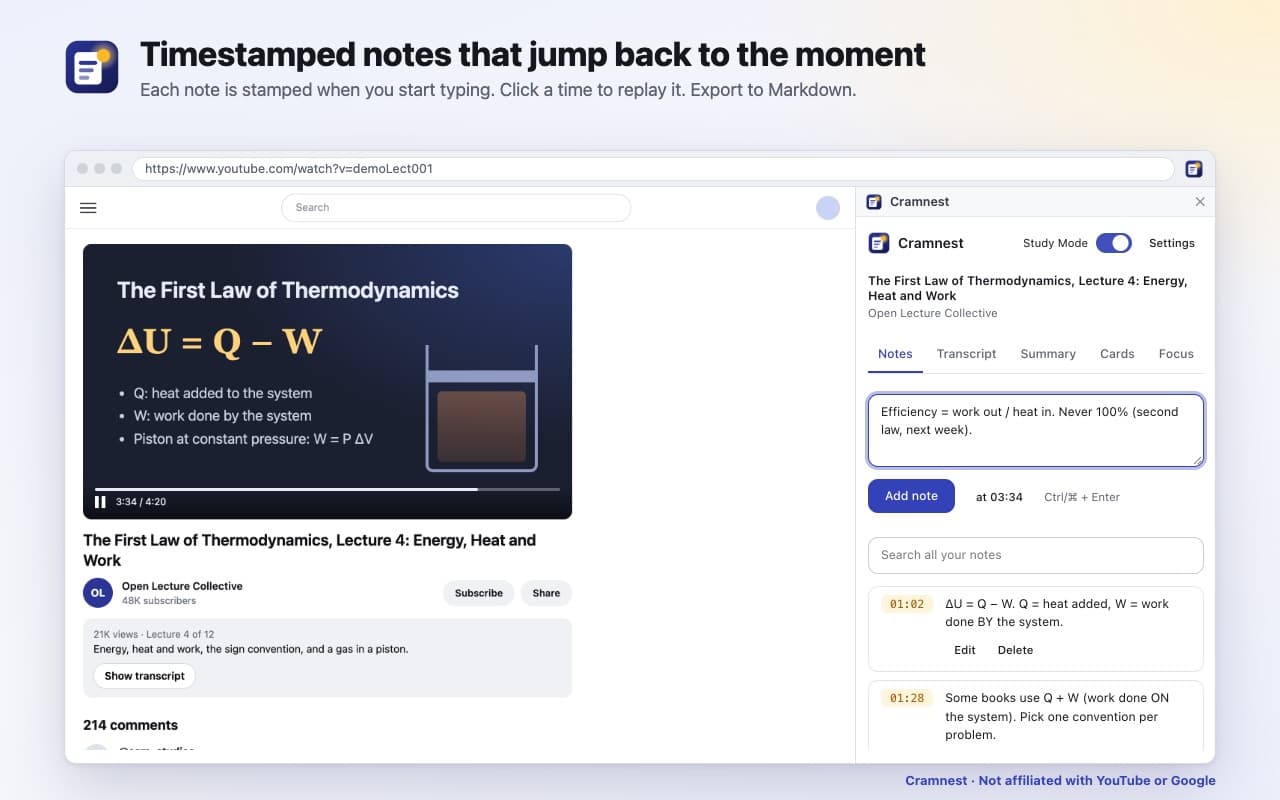
How it works.
Step 1
Add Cramnest to Chrome
Then pin its icon to the toolbar.
Step 2
Open a lecture on YouTube
Click the icon, or press Alt+Shift+O. The study panel opens beside the video, and Study Mode clears away the distractions.
Step 3
Take notes, read the transcript, summarize, make flashcards
Everything is saved in your browser.
Under the hood: Cramnest reads the video's captions from the YouTube page you are watching (YouTube's own player link, so it works where server-based tools get empty transcripts), falls back to YouTube's transcript panel, and never fetches transcripts from a server. Summaries and flashcards use Chrome's built-in Summarizer and Prompt APIs (Gemini Nano), which run locally.
Everything beside the video.

Free, private AI summaries 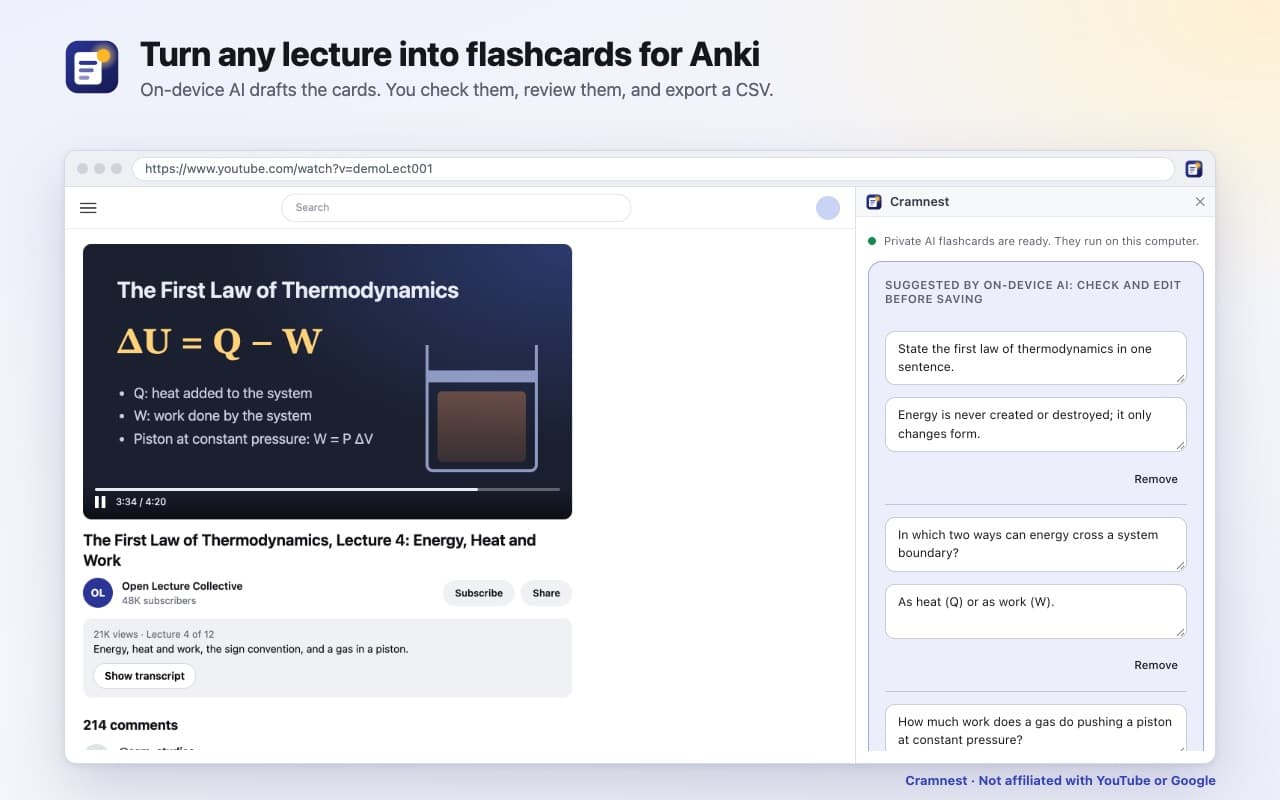
Flashcards for Anki 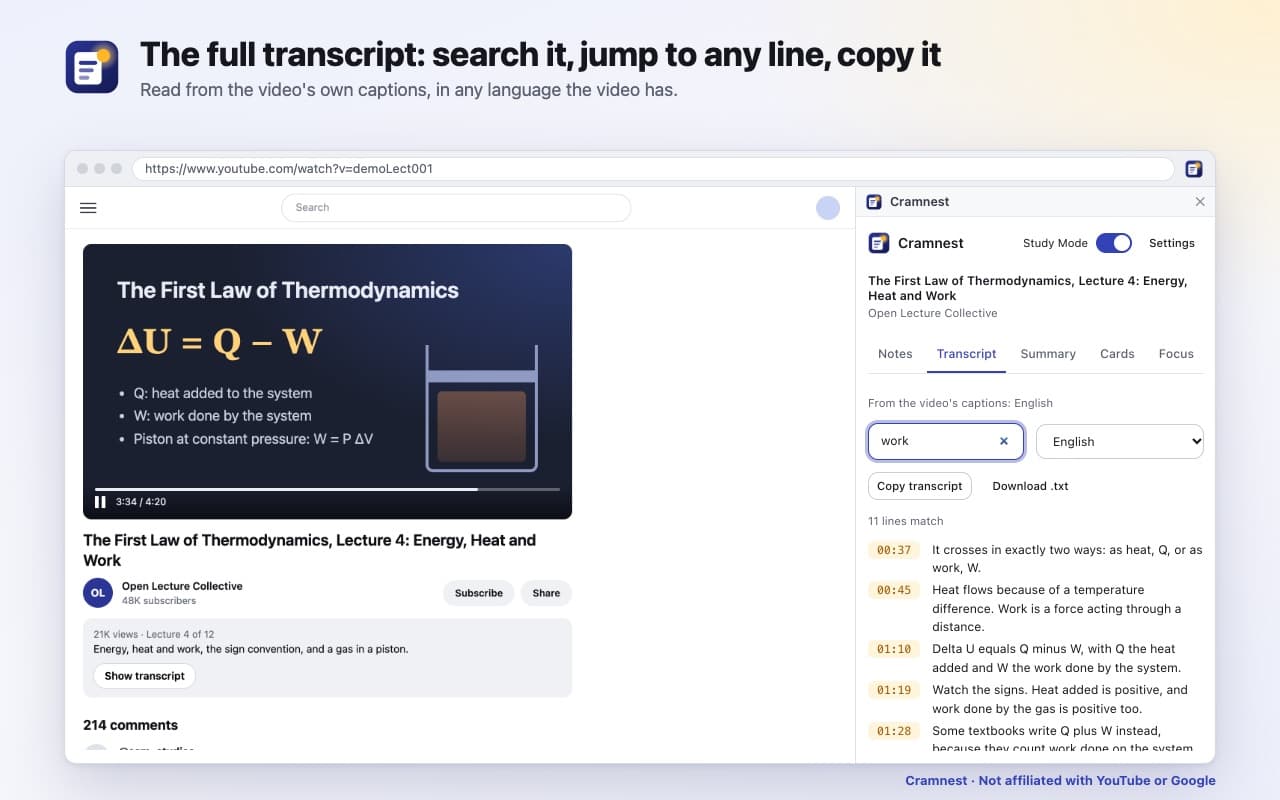
The full transcript, searchable 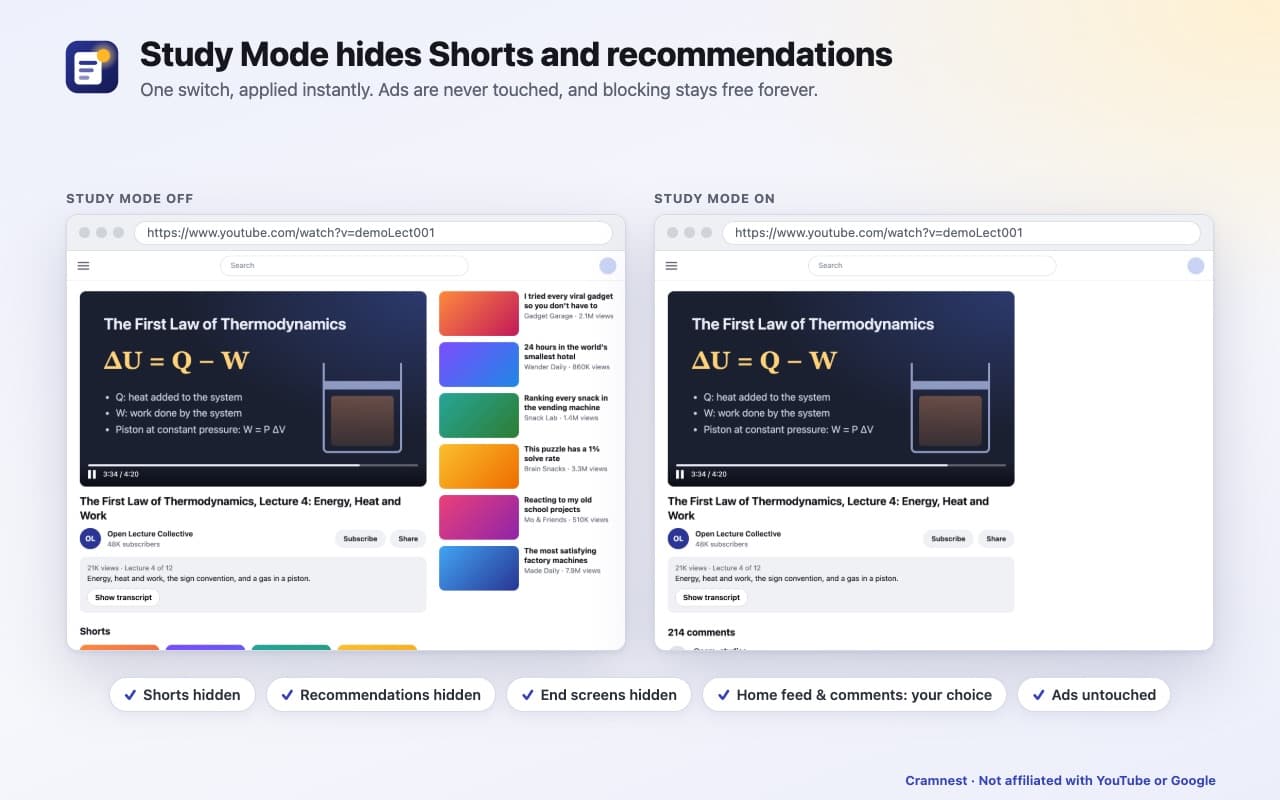
Study Mode hides Shorts and recommendations
Watch one lecture. Not twelve videos.
- Study Mode: one switch, no rabbit hole
- Hide Shorts, the recommendations beside the video and the end-screen suggestions. Optionally hide the home feed and the comments. Shared Shorts links open as normal videos. Changes apply instantly, and ads are never touched.
- Notes stamped to the second
- Write beside the video. Each note is stamped with the moment you start typing, so the lecture can keep playing. Click a timestamp to jump back. Search every note you've written, across every video. Press Alt+Shift+O to open the panel.
- Free AI summaries that stay private
- One click turns a lecture into an overview plus timestamped sections. It runs on Chrome's built-in AI on your computer, so there are no credits, no subscription and no uploads.
- Flashcards for Anki
- On-device AI drafts question-and-answer cards from across the lecture; you check and edit them. Or write your own. Review in the panel, then export a CSV that Anki imports directly.
- The whole transcript
- Read, search and copy the full transcript with clickable timestamps, and switch caption languages. Cramnest waits for pre-roll ads to finish and checks the captions belong to your video.
- One file for your notes app
- Export Markdown with your notes, the summary and your flashcards, with timestamp links that open the video at the right moment. Ready for Obsidian, Notion or any editor.
Private, and on your computer.
The AI runs on your computer. Cramnest can only access www.youtube.com, and it never touches ads. The privacy policy has the details.
Stored in your browser only
Your notes, flashcards, summaries and transcripts are stored in your browser only.
No account, no analytics
There's no account, no analytics and no tracking, and Cramnest's own pages are blocked from the network by a strict security policy.
YouTube only, ads untouched
Cramnest can only access www.youtube.com, and it never touches ads.
Questions people ask.
More answers on the support page.
Is Cramnest free?
Yes. No account, no credits, no subscription. The blocking features stay free forever.
Will the AI work on my computer?
It needs desktop Chrome 138 or newer (Windows 10/11, macOS 13+, Linux or a Chromebook Plus), a GPU with more than 4 GB of video memory or 16 GB of RAM and 4 CPU cores, and about 22 GB of free disk space for a one-time download. Cramnest checks for you when you install it. Without it, Study Mode, notes, the transcript and manual flashcards all still work.
Other summary tools ask for credits or a subscription. What's the catch?
There isn't one. The AI is built into Chrome and runs on your computer, so a summary costs us nothing and costs you nothing.
Why do some tools get an empty transcript, and does Cramnest?
YouTube's caption files need a token from YouTube's own player. Cramnest reads captions from inside the YouTube page, the way the player does, so it gets the real transcript. If a video truly has no captions, Cramnest says so clearly.
Does Cramnest block ads?
No. It hides only the distractions you choose and never touches ads.
Which languages?
Transcripts in any language the video has captions for. AI summaries in English, Spanish or Japanese.
Watch one lecture. Not twelve videos.
Free, private, no account.
Questions? Email support@quantumplug.tech.
Cramnest is made by QuantumPlug Technologies. Cramnest is not affiliated with YouTube or Google. YouTube is a trademark of Google LLC.

Cramnest was designed and built at QuantumPlug.
We build apps and software for clients too. Tell us what you want to make.