
Chrome extension · Private AI chat library
Every AI chat worth keeping, in one private library
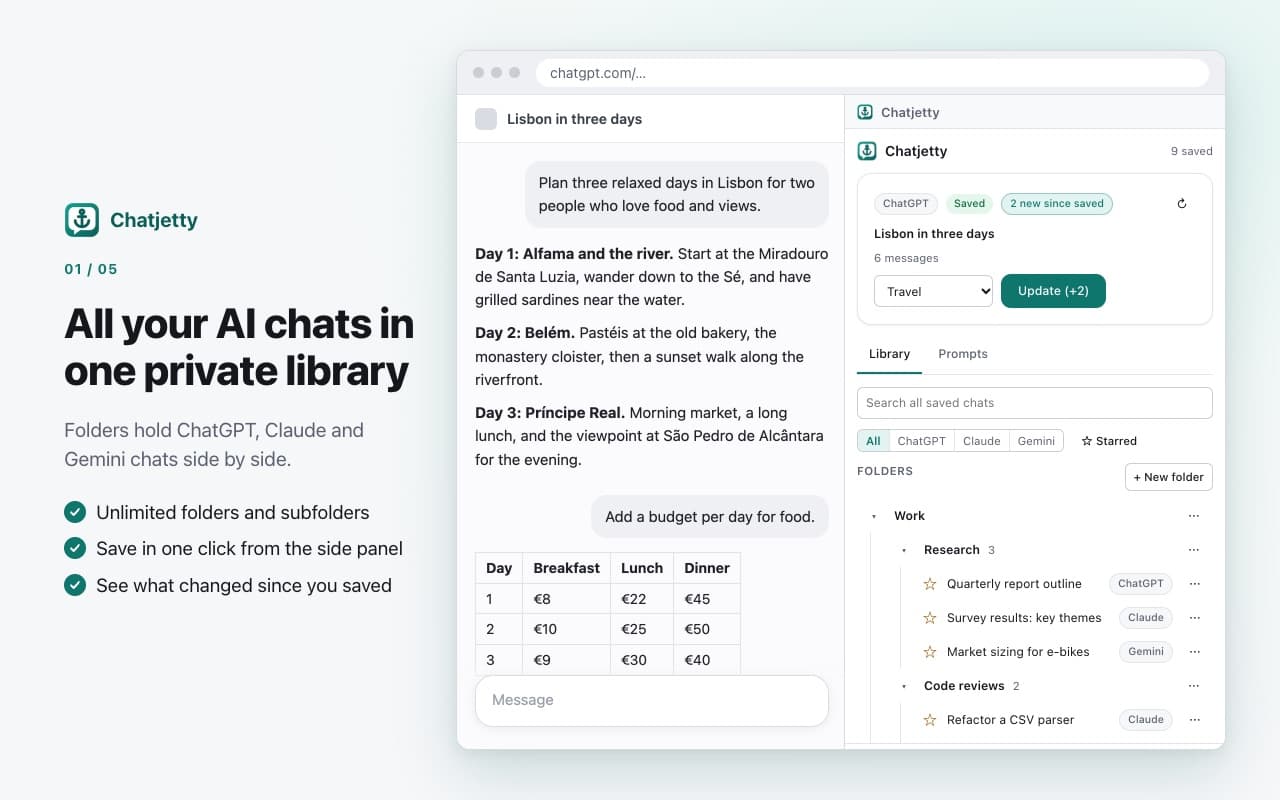
Save your ChatGPT, Claude and Gemini conversations into unlimited folders, search inside every message, reuse your best prompts and export clean PDF or Markdown. No account, no server: your library stays in your browser.
How it works.
Step 1
Add Chatjetty to Chrome
Then pin it to the toolbar.
Step 2
Open a chat and click the icon
On ChatGPT, Claude or Gemini. The side panel opens next to the page. The first time, read the short "what Chatjetty reads" note and agree.
Step 3
Pick a folder and press Save
Later, press Update to refresh it; Chatjetty shows how many new messages there are. Search, insert prompts and export, all in the panel, on your computer.
Chatjetty lives in Chrome's side panel instead of injecting buttons into the chat sites. It only works on chatgpt.com, claude.ai and gemini.google.com.
Save, find, reuse, export.
Find any answer in seconds 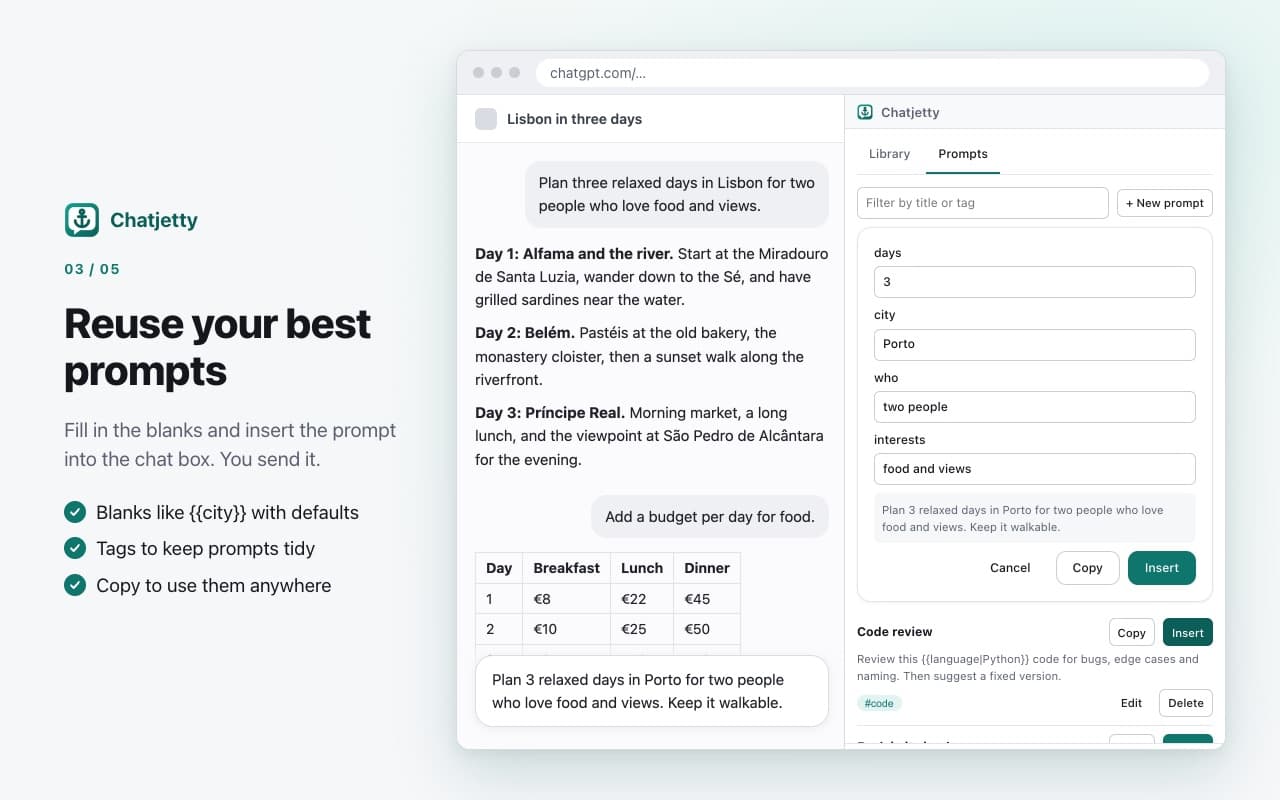
Reuse your best prompts 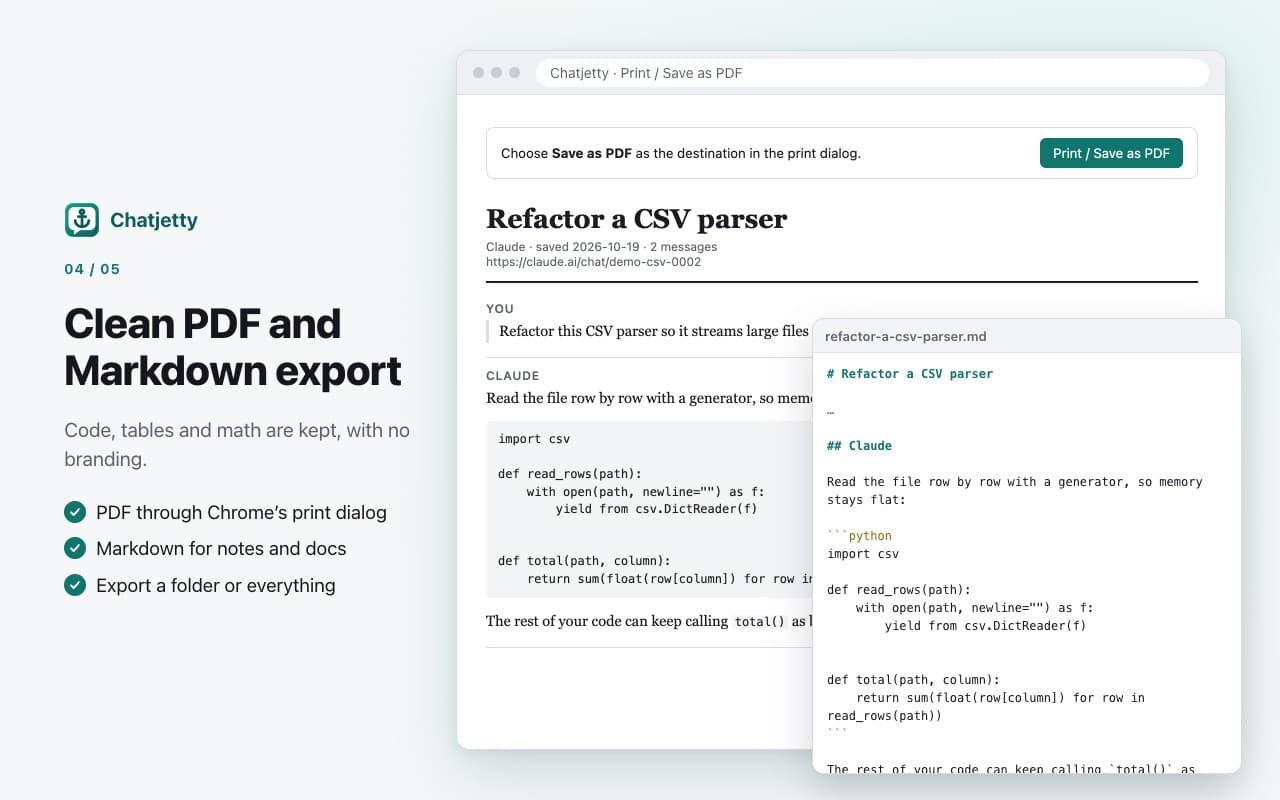
Clean PDF and Markdown export 
Private by design
A library for every assistant.
- Folders without limits
- Nest folders as deep as you like, drag chats between them, star the important ones and filter by assistant. ChatGPT, Claude and Gemini chats sit side by side in one tree.
- Search inside every answer
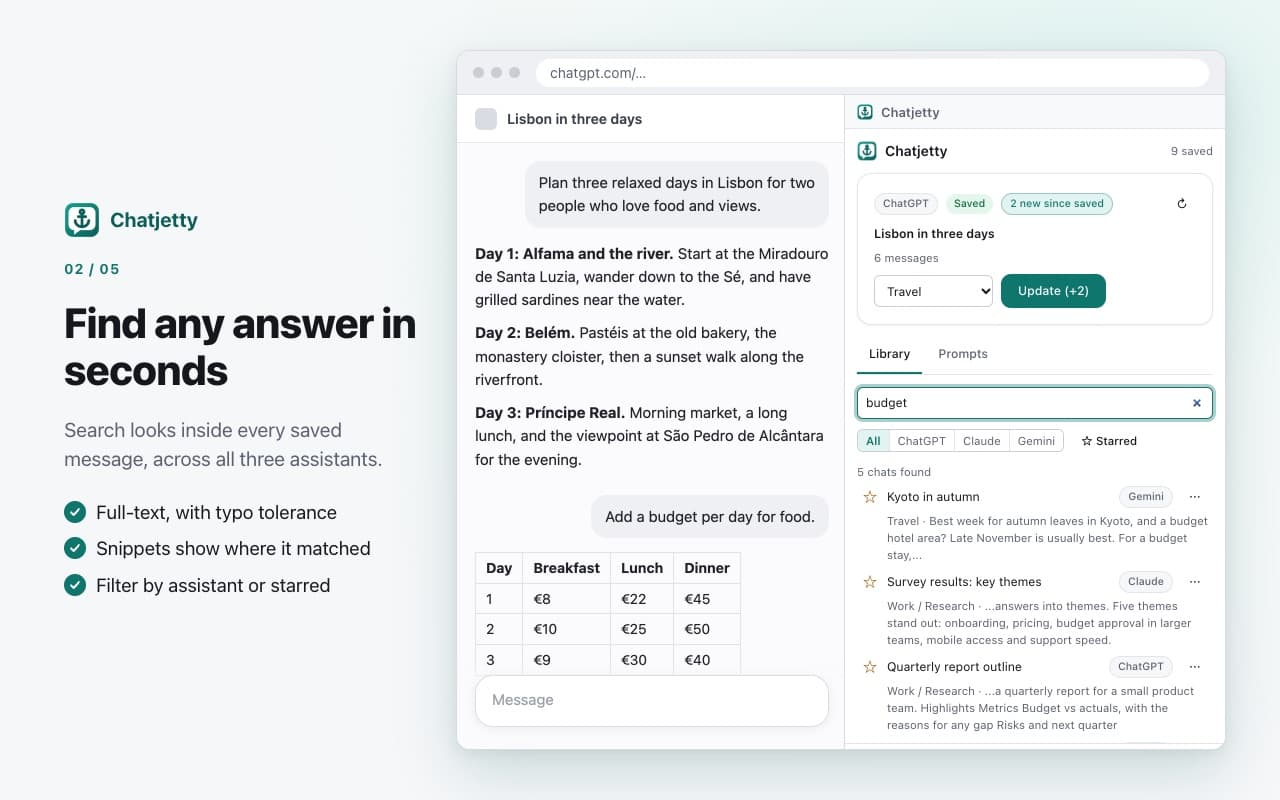
- Find the chat where you solved that bug last month. Search looks through every saved message across all three assistants, forgives typos and shows a snippet of the match.
- A prompt library that fills in the blanks
- Save prompts with tags and blanks like {{topic}}. Fill them in, then insert the result into the chat box, or copy it anywhere. Chatjetty never sends a message for you.
- Exports that keep code, tables and math
- One chat to Markdown or a clean PDF. A whole folder, or everything, as Markdown files that mirror your folders. Ready for Obsidian, Notion or your docs, without branding.
- Private by design
- Your library lives in your browser's storage for the extension. Chatjetty has no server and makes no network requests, and it only works on chatgpt.com, claude.ai and gemini.google.com. It shows you what it reads before it reads anything.
- Built to survive site updates
- Chatjetty lives in Chrome's side panel instead of injecting buttons into the chat sites. When a site changes, it tells you ("This site changed, we're on it") instead of quietly saving a broken copy.
Your chats never leave your browser.
Chatjetty keeps your library on this computer and never sends it anywhere. The privacy policy explains exactly what it reads and stores.
Stored locally
Saved chats, folders and prompts live in Chatjetty's own browser storage on this computer.
No server, no account, no analytics
Chatjetty makes no network requests, and its pages are locked down so they can't make any.
Three sites only
It can see chatgpt.com, claude.ai and gemini.google.com, and nothing else.
You're in control
Switch a site off, download a backup, or delete everything at any time.
Questions people ask.
More answers on the support page.
Is Chatjetty free?
Yes. Unlimited folders, search, prompts, export and backup are free.
Which sites does it work with?
ChatGPT (chatgpt.com), Claude (claude.ai) and Gemini (gemini.google.com), in Google Chrome.
Where is my data stored?
Only in your browser, on this computer. We never receive it. Use the JSON backup to move it to another computer.
Does it send prompts for me?
No. It puts the prompt into the chat box, and you send it.
How do I get a PDF?
Choose PDF on a saved chat. A clean page opens with Chrome's print dialog, where you pick "Save as PDF".
What if a site changes its layout?
Chatjetty detects it and warns you instead of saving a broken copy. Your saved chats are not affected, and an update restores full support.
Can I export everything at once?
Yes. Export a folder or the whole library as Markdown files arranged in your folder structure, or download a full JSON backup.
Start your private AI chat library.
Free, with no account. Your chats stay in your browser.
Questions? Email support@quantumplug.tech.
Chatjetty is made by QuantumPlug Technologies. Chatjetty is not affiliated with, endorsed by or sponsored by OpenAI, Anthropic or Google. ChatGPT, Claude and Gemini are trademarks of their owners.

Chatjetty was designed and built at QuantumPlug.
We build apps and software for clients too. Tell us what you want to make.